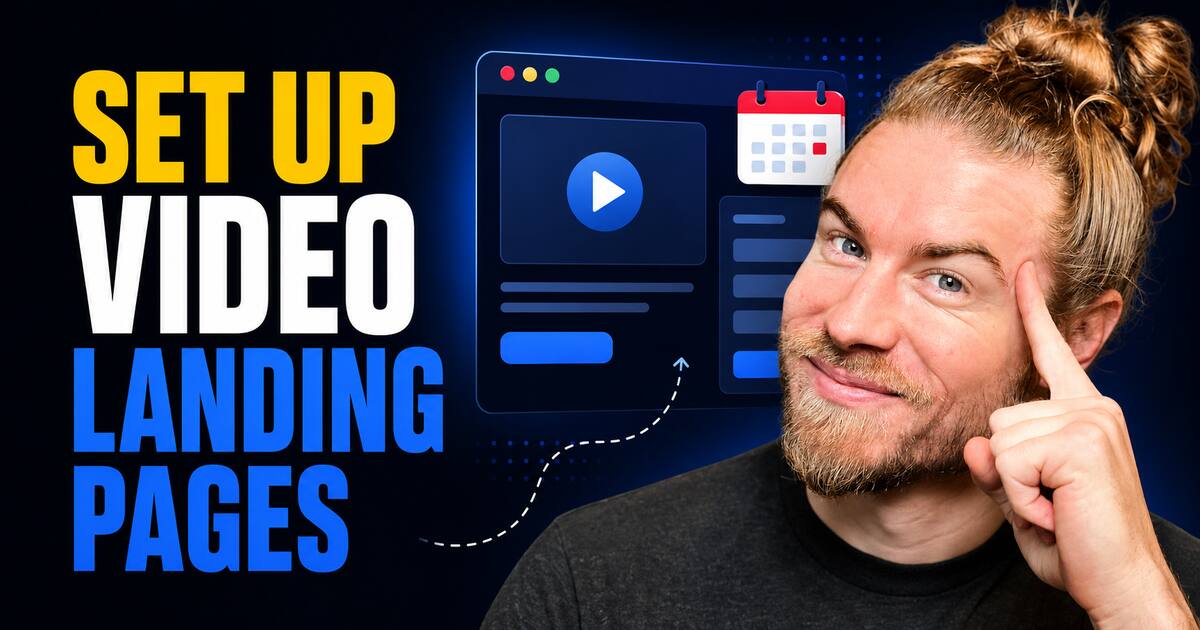
A video landing page is set up by publishing a video to a hosted page, then attaching conversion elements beneath it such as buttons, links, forms, and scheduling tools. Customization is handled either at the template level, where one saved set of buttons and branding applies across every video, or at the individual video level, where settings are overridden for a single page. The template approach is faster to maintain because a single change propagates to all pages using it.
What Is a Video Landing Page?
A video landing page is a standalone web page that pairs a single hosted video with a fixed set of conversion elements, typically clickable buttons, contact forms, scheduling links, and supporting media. Its function is to convert attention captured by the video into a measurable next action rather than to serve as general website navigation.
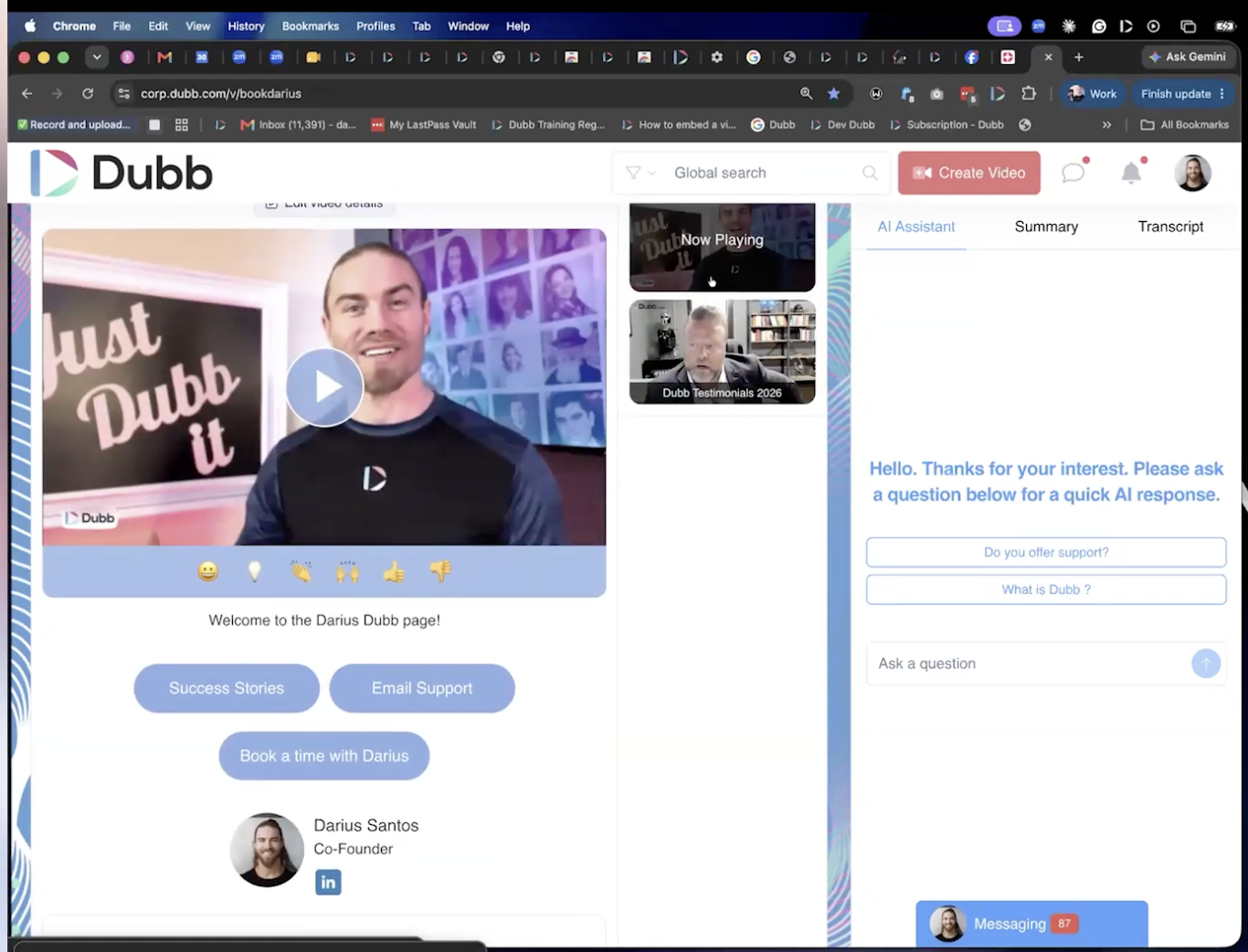
In Dubb, the video landing page is the default destination for any video shared from the platform. Alongside native video playback, the page supports playlists, integrated call to action buttons, and AI chat. Configuration is handled from the Dubb dashboard, where a saved preset governs the links and branding applied across videos, and individual videos can carry their own overriding settings.
Table of Contents
- Why Your Landing Page Works Like a Digital Storefront
- What Belongs on the Page
- How to Customize Your Page With Presets
- How to Change Settings on a Single Video
- Done For You Setup: What the Dubb Team Handles
- Common Mistakes and Troubleshooting
- Best Practices Worth Adopting
- Video Landing Page Tools Compared
- Dubb AI and Dubb Agent: How the Subscriptions Work
- Proof: Why This Actually Works
- Frequently Asked Questions
- Streamlining Your Landing Page Workflow With Video
Why Your Landing Page Works Like a Digital Storefront
When you communicate online, the page you send people to is the closest thing you have to a storefront. It is where a stranger decides whether you are credible and whether the next step is worth taking. Every high performing page you encounter in the wild, particularly behind paid ads, leads with video for exactly this reason: motion and a human face compress trust building into seconds.
The distinction that matters is what surrounds the video. A video sitting alone on a page is a piece of content. A video surrounded by a form, a calendar, social proof, and a clear primary button is a conversion asset. In practice, the gap between those two outcomes is almost never the quality of the recording. It is whether anyone bothered to configure what appears underneath it.
Dubb handles video natively rather than through an embed, and layers playlists, integrated call to action buttons, and AI chat onto the same page.
What Belongs on the Page
The specific mix depends on your industry, but the categories are consistent across use cases:
- A form, if you are driving traffic from social media and need to capture leads
- A calendar link, so interested viewers can book time directly, through Calendly, Gmail, or a comparable scheduler
- Social proof, including Google reviews and customer testimonials
- Educational assets, such as buyer's guides or seller's guides relevant to your field
- A playlist, when one video is not enough to carry the full story
A simple rule I use is one primary action and no more than three supporting links. Beyond that, click distribution flattens out and the page stops telling the visitor what you actually want them to do.
How to Customize Your Page With Presets
The links and buttons below your video are controlled from the Dubb dashboard. The recommended path is the preset, which functions as a reusable template.
- Open the dashboard and navigate to your presets.
- Select or create a preset. This is the container holding everything that renders below your video.
- Configure your buttons. Each button becomes one of the links directly beneath the video. As a working example, a preset might carry customer success stories, email support, and a set of testimonials surfaced through a playlist.
- Set your branding. Presets also control which videos appear, along with images, colors, and related visual choices.
- Save the preset. Once saved, that template applies across all of your videos.
That last point is the reason presets are worth learning first. Change the preset once and every page built on it updates together, which means your landing page stays consistent without per page maintenance.
How to Change Settings on a Single Video
The alternative is to apply settings to one video only.
- Go to your library.
- Select any single video. It does not matter which.
- Apply settings to that individual video, adjusting the buttons beneath it directly.
This works, and there are legitimate reasons to reach for it, such as a one off campaign page or a single recording aimed at one account. It is also clunkier to manage, because you are configuring one video at a time with no propagation. My honest recommendation is to treat per video settings as the exception and the preset as your default.
Done For You Setup: What the Dubb Team Handles
Configuration is not something you are expected to solve alone. For every Dubb customer, a team of humans will meet you in Zoom and set the page up for you and with you.
That covers the pieces people most often get stuck on. If you need a form to capture leads from social media and do not have one or do not know how to build one, the team will create the form and connect it to your landing page. If you need a calendar so people can book a time, whether Calendly, Gmail, or something else, that gets configured too. Google reviews, testimonials, buyer's guides, seller's guides: whatever your industry calls for gets wired in.
The one requirement is that anything specific to your business has to come from you. If you have particular assets you want on the page, provide them and they get installed. If you would rather think through strategy first, Dubb runs trainings and provides expert support to help you build the page around your business, your needs, your use cases, and your assets. The setup is fully customized and handled for you and with you.
Common Mistakes and Troubleshooting
Editing videos one at a time when a preset would do. This is the most common time sink. If you find yourself opening the same settings panel repeatedly, stop and move the change up to the preset.
Expecting per video overrides to update globally. Settings applied to an individual video stay with that video. If you changed the buttons on one page and are wondering why the rest look untouched, that is why.
Publishing before the supporting assets exist. A page with a video and no next step converts poorly. If the form or calendar is not ready, that is precisely what the Zoom setup session is for.
Assuming the page is finished. Presets are meant to be revised. As offers and priorities shift, the buttons beneath the video should shift with them.
Best Practices Worth Adopting
Build the preset before you scale your recording volume. Every video published under a configured template arrives conversion ready, while every video published before that has to be revisited later.
Match the supporting links to the stage of the relationship. A cold social media viewer needs a low friction form. A prospect deep in evaluation needs the calendar and the testimonials.
Use playlists when the decision requires more than one video. Testimonials in particular tend to work better as a sequence than as a single clip, since a viewer looking for reassurance usually wants more than one voice.
Let AI chat absorb the questions your page raises but does not answer. What I see most often is that visitors have one specific blocking question, and a page that answers it in the moment keeps them from leaving to go find out.
Video Landing Page Tools Compared
Dubb is not the only way to put video on a landing page. The right pick depends on how much of the page you need the tool itself to own.
| Tool | Category Focus | Page Customization Model | Best Fit Use Case |
|---|---|---|---|
| Dubb | Video landing pages with built in conversion elements | Reusable presets applied across all videos, with optional per video overrides | Teams that want buttons, forms, calendars, playlists, and AI chat living on the video page itself, with setup assistance included |
| Vidyard | Video hosting and sales video for revenue teams | Sharing pages and player configuration managed per video or per template | Organizations that want video analytics feeding an existing marketing automation stack |
| Loom | Fast asynchronous screen and camera recording | Standard share pages with limited page level customization | Internal communication and quick one to one recordings where the page is a viewer, not a funnel |
| BombBomb | Video email and relationship outreach | Email centric templates with a hosted landing page for playback | Sellers whose primary channel is email rather than a standalone campaign page |
The practical dividing line: if the page is mostly a place to watch something, a lightweight recorder is sufficient. If the page has to capture, book, and reassure, you want the conversion elements native to the page rather than bolted on.
Dubb AI and Dubb Agent: How the Subscriptions Work
Dubb Agent and Dubb AI are currently two separate costs. The reason is straightforward: they can be used completely independently of each other. Dubb.com has existed for roughly ten years largely independent of AI, and the AI tool can be used without Dubb. They connect well together, but neither requires the other, so they are priced as what they are, two products rather than one bundle.
The larger shift underneath that pricing decision is worth naming, because it changes how you will end up configuring pages like this one. The old pattern for getting anything done in software was to log into a system, click through it, watch tutorials, and book support calls to learn how it works. The emerging pattern is to describe what you want by voice, or with far less typing, and have the system carry it out. Anything you would previously do inside a CRM by clicking becomes something you ask for.
That is the transition I spend most of my time helping people make. It matters here because the manual preset walkthrough above is the current path, and conversational configuration is where this is heading.
Proof: Why This Actually Works
Based on anonymized usage patterns observed across Dubb accounts, spanning small teams through multi seat sales organizations, one behavioral split shows up consistently.
Accounts that configure a preset early and publish everything through it tend to see more consistent engagement on the actions below the video than accounts that leave the default configuration in place and adjust videos individually as needed. The mechanism is unglamorous: preset users have a form or a calendar present on every page by default, so every view has somewhere to go, while per video configurers accumulate pages where the next step was simply never added.
The second directional pattern involves the assisted setup. Accounts that complete a guided setup session, where forms, calendars, and social proof are connected during the call, reach a fully configured page substantially sooner than accounts that self serve and return to finish the configuration later. A meaningful share of self serve pages stay half configured for weeks.
Methodology note: these are directional observations drawn from aggregated, anonymized account configuration and engagement patterns across Dubb users, not a controlled study. Relative differences are reported as tendencies rather than guaranteed outcomes.
What I take from it is narrow and practical: the configuration step is the one most people skip, and it is the one that does the work.
Frequently Asked Questions
How do I change the links under my video?
The links below your video are controlled by your preset, which you edit from the Dubb dashboard. Open the preset, adjust the buttons, save it, and the change applies to every video using that template.
You can also change the links on a single video by selecting it in your library and applying settings to that video directly. That path works but is harder to maintain, since each video has to be configured on its own.
Can I customize just one video instead of all of them?
Yes. Go into your library, select any individual video, and apply settings to that video alone, including the buttons beneath it.
This is useful for a one off page, but it is clunkier than working at the template level. For most situations the preset is the better default, with per video settings reserved for exceptions.
What is a preset in Dubb?
A preset is essentially a template that holds everything appearing below your video, including your buttons and links, which videos display, and branding elements like images and colors.
Once you save a preset, it becomes applicable to all of your videos. That is why it is the recommended way to customize your video landing page rather than editing videos individually.
Does Dubb help me set up my landing page?
Yes. For every Dubb customer, the team will meet you in Zoom and set the page up for you and with you. If you need a form to capture leads and do not have one, they will create it and connect it to your page. Calendars, Google reviews, testimonials, and buyer's or seller's guides can all be configured during that session.
You only need to supply anything specific to your business. Dubb also runs trainings and offers expert support to help you plan the page around your industry, needs, use cases, and assets, fully customized and done for you and with you.
Are Dubb AI and Dubb Agent the same subscription?
No. They are currently two separate costs. The reason is that they can be used completely independently of each other, so neither is required to use the other.
Dubb.com has existed for around ten years largely independent of AI, and the AI tool can be used without Dubb. They work well in combination, but they remain two distinct products.
What should I put on a landing page besides the video?
Start with whatever captures intent: a form if you are driving traffic from social media, and a calendar link so people can book a time. Then add credibility elements such as Google reviews and testimonials.
Beyond that, include educational assets that fit your industry, like buyer's guides or seller's guides, and consider a playlist if one video cannot carry the whole story. Playlists, call to action buttons, and AI chat can all live on the same page.
Streamlining Your Landing Page Workflow With Video
Everything above reduces to three moves. Decide what belongs beneath your video, configure it once at the template level rather than video by video, and get help with the pieces you do not want to build yourself. Presets handle the second move by making one saved configuration apply across all your videos. Playlists, call to action buttons, and AI chat cover the first, so capturing, booking, and reassuring all happen on the page instead of somewhere the visitor has to go find. The assisted setup covers the third: forms and calendars connected with you on a call rather than left on your list.
If you want to implement the workflow described here, set up an account at Dubb.com and book a setup session so your preset gets built with you rather than after the fact. Bring whatever assets you already have. Those are the parts nobody can configure on your behalf.