An email containing any link or image carries a higher probability of landing in a promotions or spam folder than an equivalent plain text message. That rule applies to every email, including a standard signature block, and it is not specific to video. The practical question is not whether placement risk rises but whether the added response rate from a recorded message outweighs the messages that get filtered, which is a tradeoff measured in replies rather than deliverability alone.
What Is a Cold Video Email?
A cold video email is an outreach message sent to a recipient with no prior relationship, in which the primary content is a short recorded video rather than written copy. The video typically lives on a hosted page reached through a single link in the email body, so the message itself carries no attachment.
In Dubb, the recording is captured with the desktop app, which allows a screen share with the sender's camera bubble overlaid, and the resulting link opens a page where the video plays alongside elements such as scheduling and customer reviews. Because the video is delivered as one link and not an attached file, the email body remains lightweight.
Table of Contents
- Segment Your Audience Before You Write Anything
- Why Smaller Targets Beat Enterprise Logos
- The One to One Approach: Record Their Website
- The One to Many Approach: Record Their Competitors
- Choosing Your Channels and What Each One Costs
- So Will Your Cold Email Land in Spam?
- Cold Email Deliverability Rules That Actually Matter
- Why Designed Templates Underperform in Cold Email
- Common Mistakes and Troubleshooting
- Best Practices Worth Adopting
- Video Outreach Tools Compared
- Proof: Why This Actually Works
- Frequently Asked Questions
- Building a Cold to Sold Workflow With Video
Segment Your Audience Before You Write Anything
Deliverability is the second problem with cold email. The first is that a message written for everyone reads like it was written for no one, and no amount of inbox placement fixes that.
If your offer serves a national market, the temptation is to blast every company in the category across every state, city, and vocation. Resist it. Narrow the targeting instead: companies of a certain size, in a certain location, with whatever other attribute makes the outreach meaningful for that specific group.
Compare the two versions. "Hey, everybody in HVAC" against "I work with HVAC owners in this specific city to accomplish this specific result." The second version changes your subject line, your body copy, and your video script all at once, and every one of them gets stronger.
Worth being precise about what you are segmenting. You segment the audience, not the offer. If the service works for anybody in the category, it still works. You are only changing who you are speaking to in any given batch, which is what lets the message get specific.
Why Smaller Targets Beat Enterprise Logos
The large operators in any category are usually the hardest place to begin. There is red tape, there are longer sales cycles, and the decision maker is rarely the person reading a first-touch message. If your offer is new to the market, that difficulty compounds, because an unfamiliar category needs a decision maker who can simply say yes.
Smaller businesses let you reach that person directly. Start with a market size where the owner is reachable, prove the message works there, and expand once you have responses to point at.
The One to One Approach: Record Their Website
The custom version takes about a minute of preparation and produces a recording of roughly thirty seconds.
- Open their website. You want something specific and verifiable on screen.
- Start a screen recording with your camera bubble on. The desktop app handles this, so the prospect sees both their own site and your face.
- Name what you noticed. "I was checking out your site and saw you don't offer this service in your lineup."
- Frame it as complementary, not a replacement. Make clear they would not be changing anything they already do.
- Hand off to the next video. "I made a quick video that comes right after this and explains exactly how we help companies like yours add revenue with no additional work. Sounds too good to be true, right? Check this out."
- Stop recording. Thirty seconds is the whole thing.
A rule I hold to on national outreach: no opportunity gets more than ten minutes of my time at this stage. Five-minute artisanal videos feel productive and quietly guarantee your volume never reaches the level where the numbers work.
The One to Many Approach: Record Their Competitors
The scalable version drops the personal research and replaces it with recognition. Instead of the prospect's own website, you put a simple slide on screen showing several of the largest recognizable brands in their state or category. Not their company, several of their competitors.
Then the same structure, with the greeting generalized. Not "Hey John," but "Hey there."
"I wanted to introduce myself. I'm Darius, and I work with brands like these to grow their revenue without lifting an additional finger, through a complementary service you have probably never heard of. My team produced a short video that comes right after this, and you will see exactly why companies like this are growing revenue without more hires and without more overhead. It sounds too good to be true, and you will see that it is very real. You can schedule a time with me right below this to talk about what it looks like in your business, and read reviews from clients we are already working with."
One recording, an entire segment served. This is the asset that makes a sequence viable, because you cannot hand-make every touch and still hit meaningful volume.
Choosing Your Channels and What Each One Costs
The same recording travels across channels, and the economics differ sharply between them.
| Channel | Relative Cost | Consent Requirement | Where It Fits |
|---|---|---|---|
| Essentially free | Cold outreach is permitted | The default channel for volume, and the one this article's deliverability rules are written for | |
| SMS | Low, above email | Requires opt-in. Do not mass text business leads without one | Follow-up with contacts who have already opted in, never cold prospecting |
| LinkedIn and Facebook | Low, time intensive | Cold messaging is acceptable within platform rules | A parallel touch on the same segment, useful when email placement is uncertain |
| Physical leave-behind or mail | Highest | None | Local targets where walking in builds trust. Print the video as a QR code on a flyer. Not viable where nobody opens physical mail |
Consent rules for text messaging vary by jurisdiction and change over time, so confirm the current requirements for your market before running any SMS program. The safe default stands regardless: do not mass text business-to-business leads who have not opted in.
The reason to run more than one channel is not thoroughness. It is that you cannot know in advance which one gets through, and a small split test answers in weeks what speculation never will.
So Will Your Cold Email Land in Spam?
Some risk, yes. Not because of video itself.
Start with the general rule, which has nothing to do with outreach. Any link or any image in any email raises the odds of promotions or spam placement relative to a text-only message. A standard email signature is enough to do it. That is the baseline every sender lives with.
So the real question is a tradeoff. Does adding the recording build enough trust, particularly in the one-to-many version, to outperform whatever you could have written in plain text? Framed as arithmetic: would you rather have ninety plain text messages delivered or sixty videos delivered? Those figures are illustrative, not measured, and the honest answer is that only your own data settles it. What I can tell you is that across the outreach we see, video has consistently been the more effective format.
There is also a point in video's favor that gets overlooked. A message built around one hosted video carries no attachment and no pile of links. Structurally it is a cleaner email than the alternative most senders reach for, which is a body stuffed with links, buttons, and images. On that comparison, the video email is the lower-risk artifact.
Cold Email Deliverability Rules That Actually Matter
One link. That is the whole rule. If the video is your link, it is the only link. Not a link to the video plus a form plus a calendar plus a second calendar. Every major provider, Gmail, Outlook, Yahoo, treats a stack of links as a spam signal, and the message gets routed to promotions or junk. This is the single most common self-inflicted wound in cold email.
Watch your language. Words like free, ultimate, and exclusive trip filters directly. Copy that reads as salesy gets classified as promotional, because that is exactly what it is.
No attachments. A hosted video link avoids this by design.
Write like you are talking to one person. Providers read every message, and they are good at telling the difference between correspondence and a broadcast. A note that looks like a conversation gets treated like one.
Why Designed Templates Underperform in Cold Email
At some point nearly everyone fell in love with the polished, image-heavy email template. Header graphic, brand colors, multiple call to action buttons, a footer full of links. They are still widely used and they are wrong for most businesses, ending up in promotions well over ninety percent of the time. Business-to-business inboxes often have no promotions tab, so there the same message tends to land in junk instead.
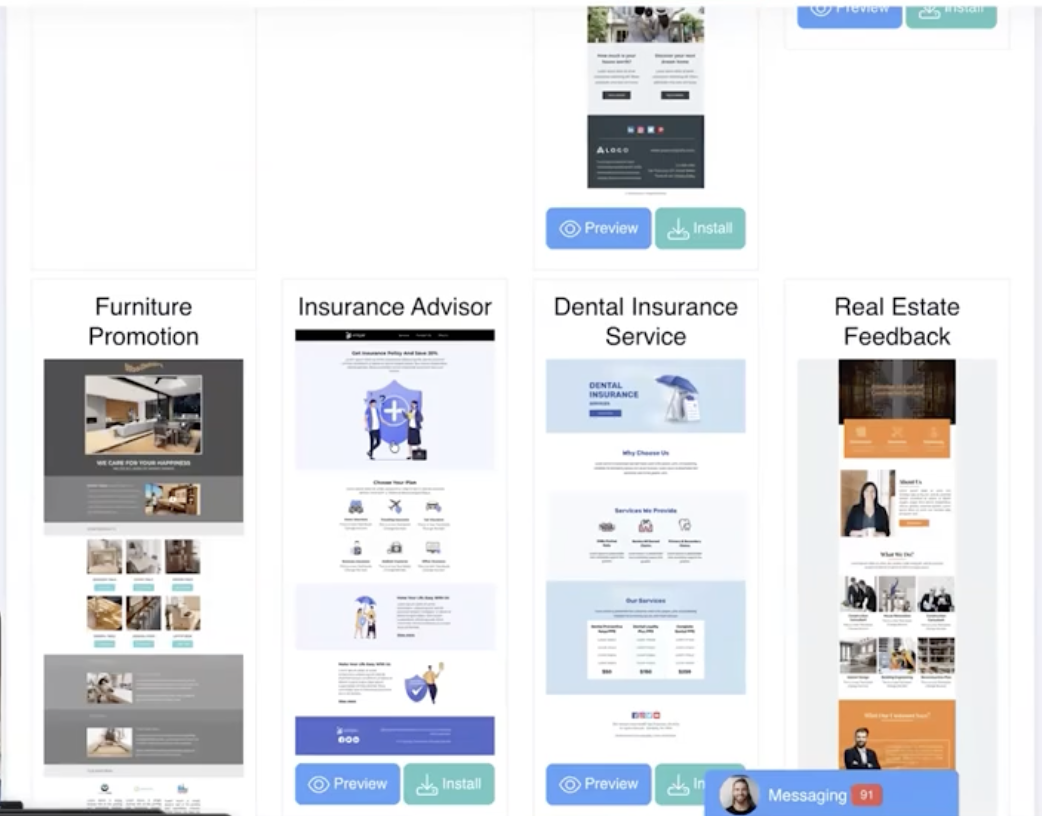
The mechanism is not mysterious. Email providers are reading every message, and a heavy template does not look like a person trying to reach another person. It looks like a bundle of information delivered at someone. Recipients stop opening those, engagement signals fall, and placement gets worse from there.
There are legitimate exceptions, newsletters and transactional design among them. For a first-touch message to a stranger, the plain conversational email carrying one video link is the stronger instrument nearly every time.
Common Mistakes and Troubleshooting
Sending one message to the entire category. If your open rates are flat across a large list, the problem is usually targeting, not the subject line. Cut the list into segments and rewrite for each.
Stacking links around the video. If placement is poor and you are running a video plus a calendar plus a form, remove everything except the video. The page behind the link can hold the calendar and the reviews instead.
Spending thirty minutes per prospect. Volume never arrives. Cap the custom version at ten minutes and let the one-to-many recording carry the rest of the segment.
Starting with the biggest names in the market. Long cycles and gatekeepers will make a working message look broken. Validate on smaller companies where you reach the owner.
Mass texting business leads. Beyond the consent issue, it damages trust with exactly the audience you are trying to reach.
Best Practices Worth Adopting
Record the one-to-many asset first. It is the piece that makes a sequence possible, and the custom recordings become an upgrade you apply to your best-fit accounts rather than a requirement for everyone.
Put everything except the video behind the link. Scheduling and reviews belong on the page the video opens, which keeps the email at one link while still giving a convinced reader somewhere to go.
Lead with an observation rather than an offer. Naming something specific, a gap in their service list or a competitor they recognize, earns the next fifteen seconds.
Say the objection out loud. "Sounds too good to be true, right?" works because the prospect is already thinking it, and naming it first reads as confidence instead of evasion.
Split test channels before scaling spend. What I see most often is that cold email senders commit to one channel on instinct and never learn whether it was the right one.
Video Outreach Tools Compared
Several credible tools handle recorded video for outreach. They differ mainly in what happens after the recording exists.
| Tool | Category Focus | What Happens After the Recording | Best Fit Use Case |
|---|---|---|---|
| Dubb | Video outreach with a hosted destination page | Desktop app screen recording with camera bubble, delivered as one link to a page carrying scheduling and reviews | Senders who need a single-link email and want the calendar and social proof living behind that link rather than in the body |
| BombBomb | Video email and relationship outreach | Sends from within its own email tooling, with playback on a hosted page | Sellers whose entire motion runs through email and who want sending and recording in one place |
| Vidyard | Video hosting and sales video for revenue teams | Share pages plus viewing analytics routed into an existing stack | Larger teams that need engagement data feeding marketing automation and reporting |
| Loom | Fast asynchronous screen and camera recording | A standard share page built for viewing, with limited conversion elements | Internal communication and quick explanations where no next step needs to sit under the video |
The dividing line for outreach specifically: if the recording is the entire message, a lightweight recorder is fine. If the recipient needs to book time or check your credibility without leaving the page, you want those elements native to the destination.
Proof: Why This Actually Works
Based on anonymized patterns observed across Dubb accounts running cold email outreach, from solo operators through multi-seat sales teams, two behaviors separate the campaigns that produce replies from the ones that stall.
The first is link discipline. Accounts whose outreach carries a single video link tend to see better inbox placement and more replies than accounts sending the same copy with a calendar link, a form link, and a video link in one body. The mechanism is the one described above: providers read multiple links as a promotional signal, and the message never reaches the person who might have answered.
The second is segmentation. Senders who cut a national list into narrow segments and rewrite the subject line and script per segment tend to outperform senders using one message across the whole category, even when the underlying offer and the video are identical. The offer did not change. The specificity did.
Methodology note: these are directional observations drawn from aggregated, anonymized outreach and engagement patterns across Dubb users, not a controlled study. Differences are reported as tendencies rather than guaranteed outcomes, and no figures are attached to either pattern.
What I take from it is that both winning behaviors are free. Neither requires better production, a bigger list, or more budget. They require deciding who you are talking to and then removing everything from the email except the one thing you want clicked.
Frequently Asked Questions
Do emails with video go to spam?
Any email containing a link or an image has a higher chance of landing in promotions or spam than a plain text email, and a video link is a link. This is a general rule for all email rather than something specific to video, and even a standard signature block carries the same effect.
The tradeoff is what matters. A video email built around one hosted link has no attachments and no stack of links, which makes it structurally cleaner than a template full of images and buttons. In practice, video has been the more effective format for outreach even accounting for the placement risk.
How many links should a cold email have?
One. If you are including a video, that should be the only link in the message. Do not add a separate form link, a calendar link, and another destination on top of it.
Gmail, Outlook, and Yahoo all treat a large number of links as a spam signal, and the message gets sent to promotions or junk. Anything else you want the reader to do belongs on the page the video link opens.
Can I cold email people I do not know?
Yes, cold email is permitted, which is why it remains the default channel for reaching a market that has never heard of you. It is also essentially free, so it carries the lowest cost per attempt of any option.
Text messaging is different. Do not mass text business-to-business leads who have not opted in. LinkedIn and Facebook messaging are acceptable within each platform's rules, and consent requirements vary by jurisdiction, so confirm the current rules for your market.
What words trigger spam filters?
Language that reads as promotional rather than personal is the problem. Words like free, ultimate, and exclusive can trip filters directly and push a message into promotions or junk.
The broader test is tone. If a sentence sounds like a sales pitch rather than something you would write to one person, it is working against your placement regardless of which specific words appear.
Should I use a designed email template for cold outreach?
Generally no. Image-heavy templates with multiple buttons and a footer full of links end up in promotions the large majority of the time. In business-to-business inboxes, which often have no promotions tab, they tend to land in junk instead.
Providers read every message and a heavy template does not look like one person writing to another. A plain conversational email carrying a single video link performs better for a first touch.
How long should a cold outreach video be?
About thirty seconds for a first touch. Name something specific you noticed, make clear the offer is complementary to what they already do, and hand off to the next video.
Keep total time per prospect under ten minutes including research, otherwise your volume never reaches the level where the numbers work. For anything national, record one video for a whole segment and reserve custom recordings for your best-fit accounts.
Building a Cold to Sold Workflow With Video
A cold email workflow reduces to four decisions. Narrow the segment so the message can be specific. Record one video for the segment and reserve the custom version for accounts worth ten minutes. Keep exactly one link in the email and move the calendar and the reviews to the page behind it. Then split test a second channel before you scale the first.
That third decision is where the tooling earns its place. Recording with the desktop app gives you the screen share with your camera bubble in one pass, and the resulting link opens a page where scheduling and reviews sit under the video instead of cluttering your email body. The same recording can be printed as a QR code on a leave-behind if you are working a local market.
If you want to build the sequence described here, start an account at Dubb.com and record the one-to-many video first. It is the asset everything else in the sequence depends on, and it takes about thirty seconds once you know what you are going to say.