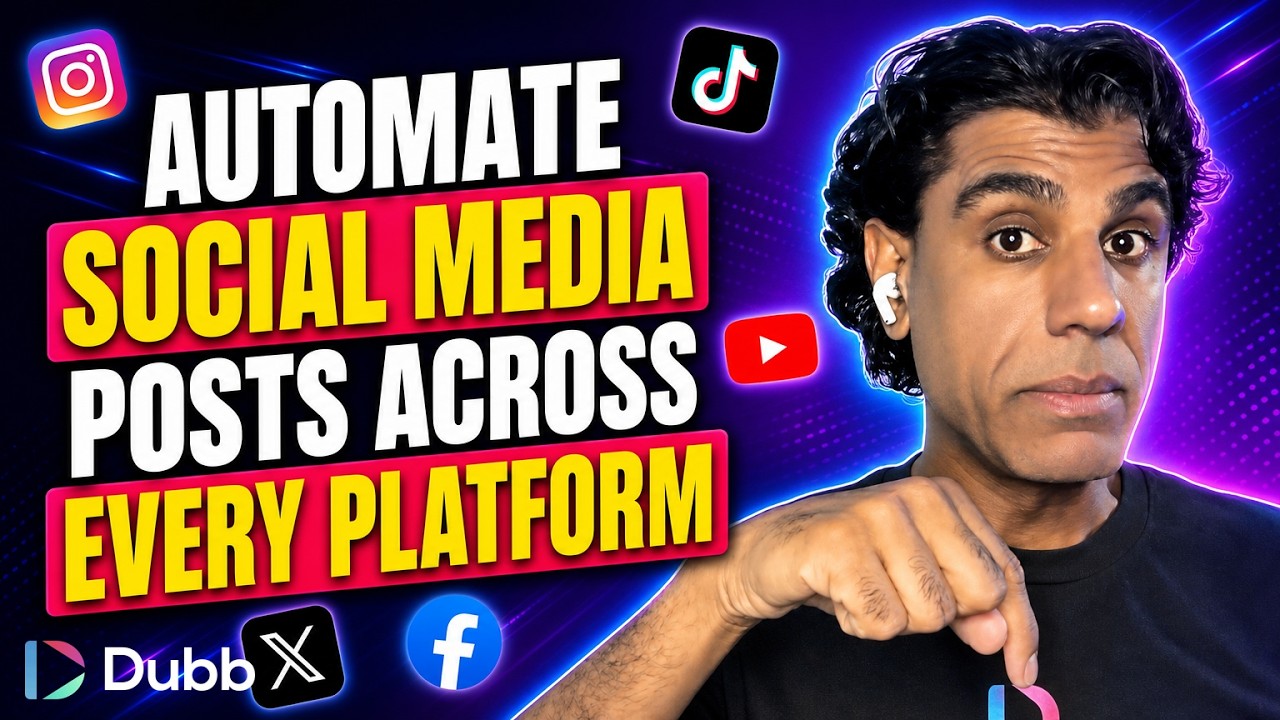
Content repurposing works by publishing natively to one primary platform and then using a third-party automation tool to detect that post and republish it to secondary platforms. The automation runs on a scheduled task rather than instantly, so reposts typically appear within several hours. Portrait video in 9:16 format transfers cleanly between portrait-first platforms, while landscape 16:9 video published to a long-form platform generally does not perform when pushed to portrait-first feeds.
What Is Content Repurposing?
Content repurposing is a distribution practice in which a single piece of published content is redistributed to additional platforms rather than being created separately for each one. In an automated setup, a trigger on the origin platform initiates a scheduled job that reposts the asset to connected destination accounts, which reduces per-channel production effort to zero after the initial publish.
Dubb connects to this practice at the conversion end rather than the distribution end. Dubb offers a bio link option that pairs a video with a landing page, giving the traffic arriving from those distributed posts a single destination where it can be captured and monetized. These technologies can also be integrated into a Dubb agent, available at ai.dubb.com.
Table of Contents
- Why Omni-Channel Is Not Optional Anymore
- Pick a Primary Channel and Go All In
- Which Formats Travel and Which Do Not
- How to Set Up Content Repurposing Automation
- Why the Repost Is Not Instant
- What Every Post Needs, Regardless of Channel
- Turning Distributed Traffic Into Conversions
- Common Mistakes and Troubleshooting
- Best Practices Worth Adopting
- Content Repurposing Tools Compared
- Proof: Why This Actually Works
- Frequently Asked Questions
- Building an Omni-Channel Workflow With Video
Why Omni-Channel Is Not Optional Anymore
The case for being everywhere is not a growth-hacking argument. It is an observation about how people actually behave. Different audiences consume on different platforms, engage on different platforms, and publish on different platforms. If your audience is somewhere you are not, the strength of your content is irrelevant to them.
Consider your own behavior for a moment. Most of us have several of these apps open at once. A notification arrives, or someone sends a link, and within seconds we are consuming content on a platform we had no intention of opening. That is the mechanism. People move between channels at different times, at different stages, for different needs in their lives, and a single-channel presence only catches them during one of those moments.
The reason most people stay on one channel is not disagreement with any of this. It is that producing native content for five platforms is genuinely unsustainable. Which is precisely the problem automation solves: you keep the single-channel workload and get the multi-channel footprint.
Pick a Primary Channel and Go All In
Before automating anything, decide where you actually live. For some people that is Facebook. For others it is Instagram, YouTube, X, or TikTok. There is no universally correct answer, because it depends on you and on your target audience, but everyone should be able to name their primary channel without hesitating.
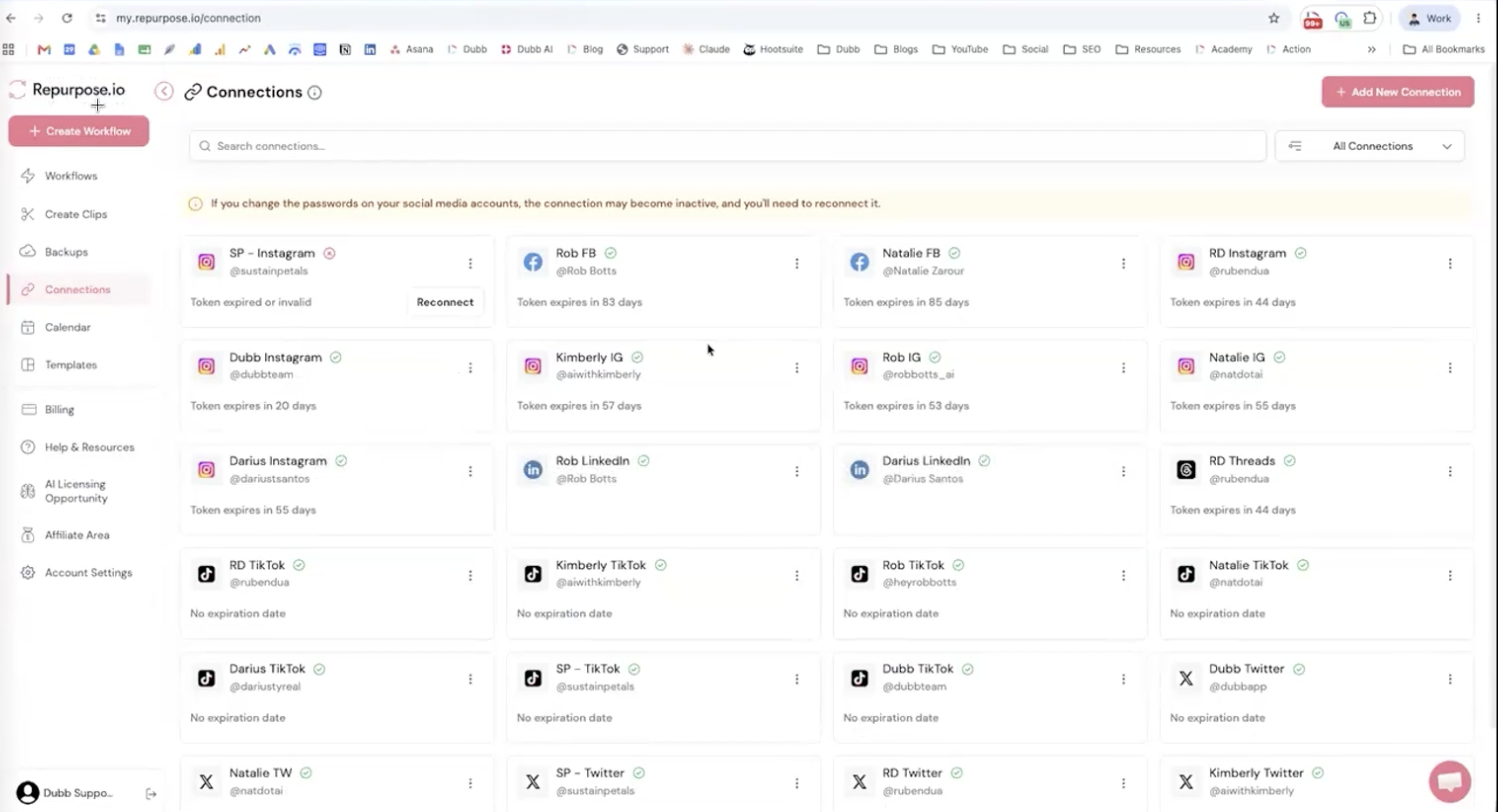
Once you have named it, go all in there and post natively. Native publishing is what attracts your ideal client profile, because the platform rewards content built for its own environment and its own audience expectations. Everything else in this workflow is downstream of that one channel being genuinely good.
The rule I hold to is that your main channel gets the effort and the secondary channels get the automation. Trying to give five platforms equal attention usually produces five mediocre presences instead of one strong one.
Which Formats Travel and Which Do Not
This is where most repurposing setups quietly fail, and it comes down to aspect ratio. Most primary-channel content is portrait video, 9:16, the format you get holding a phone upright. That travels well, because the platforms most likely to receive it are portrait-first by design.
The exception is YouTube long-form, which is landscape 16:9. Pushing that into Instagram or TikTok tends not to perform, because those are primarily portrait-based channels and a landscape video arrives letterboxed into a feed built for full-screen vertical viewing.
| Source Format | Typical Origin | Repurposes Well To | Avoid Pushing To |
|---|---|---|---|
| Portrait video, 9:16 | Instagram, TikTok, Facebook | Other portrait-first feeds, plus X and YouTube as a secondary destination | Nothing in particular. This is the format that travels |
| Landscape video, 16:9 | YouTube long-form | Other landscape-tolerant placements | Instagram and TikTok, which are primarily portrait-based and tend to underperform with letterboxed video |
The practical consequence is that if YouTube long-form is your primary channel, you are not the ideal candidate for straight automated repurposing. Your reposts need a portrait edit first, which is a different workflow than the one described here.
How to Set Up Content Repurposing Automation
The tool we use for this is Repurpose.io, a third-party service built specifically for cross-platform reposting. In our case it runs about one hundred dollars per month, though plans and tiers change, so check current pricing before budgeting.
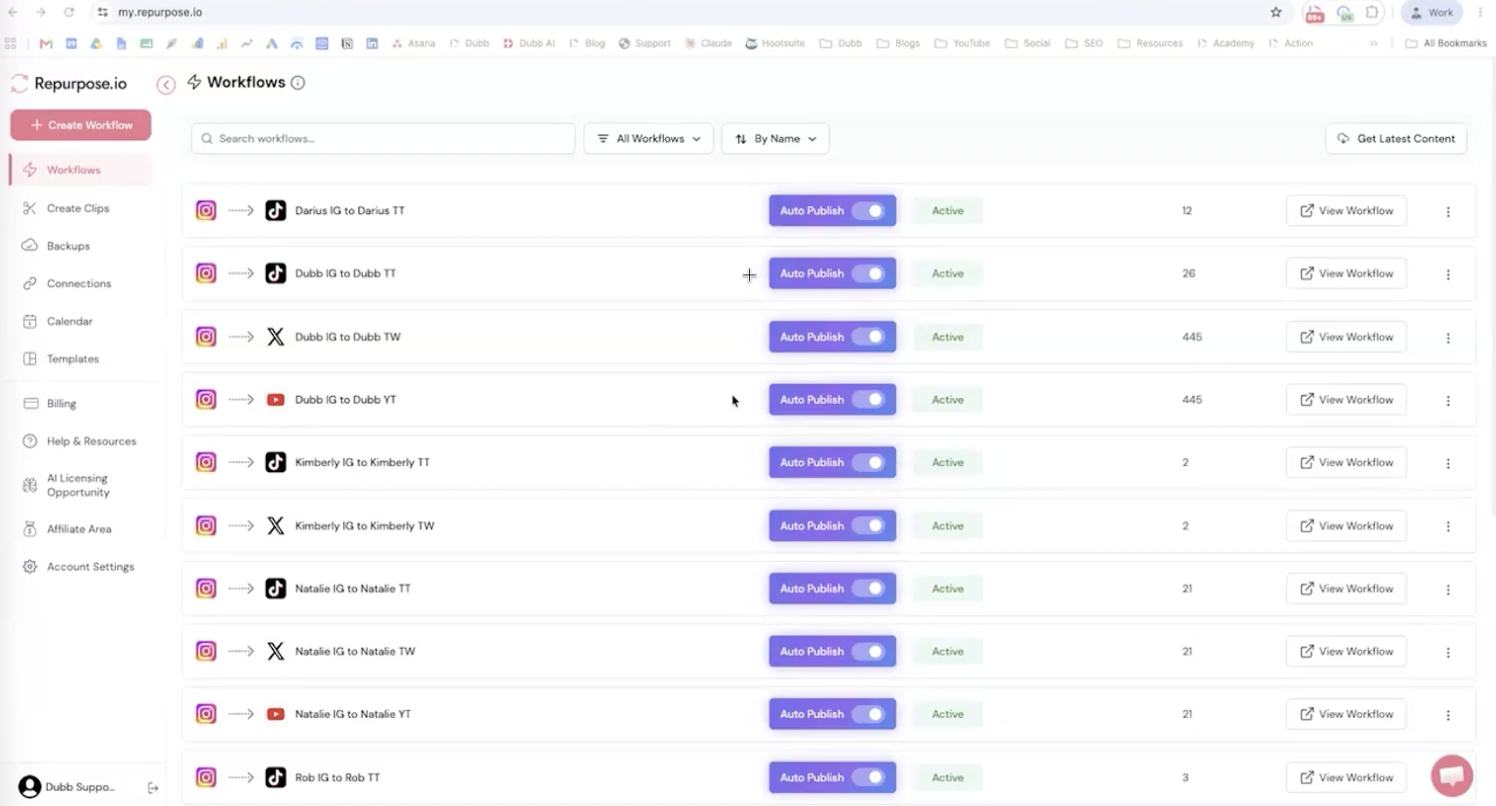
- Create an account. Visit the site and sign up.
- Connect your social accounts. These are your connections, and they are what makes interconnecting your channels possible. Nothing works until this step is complete.
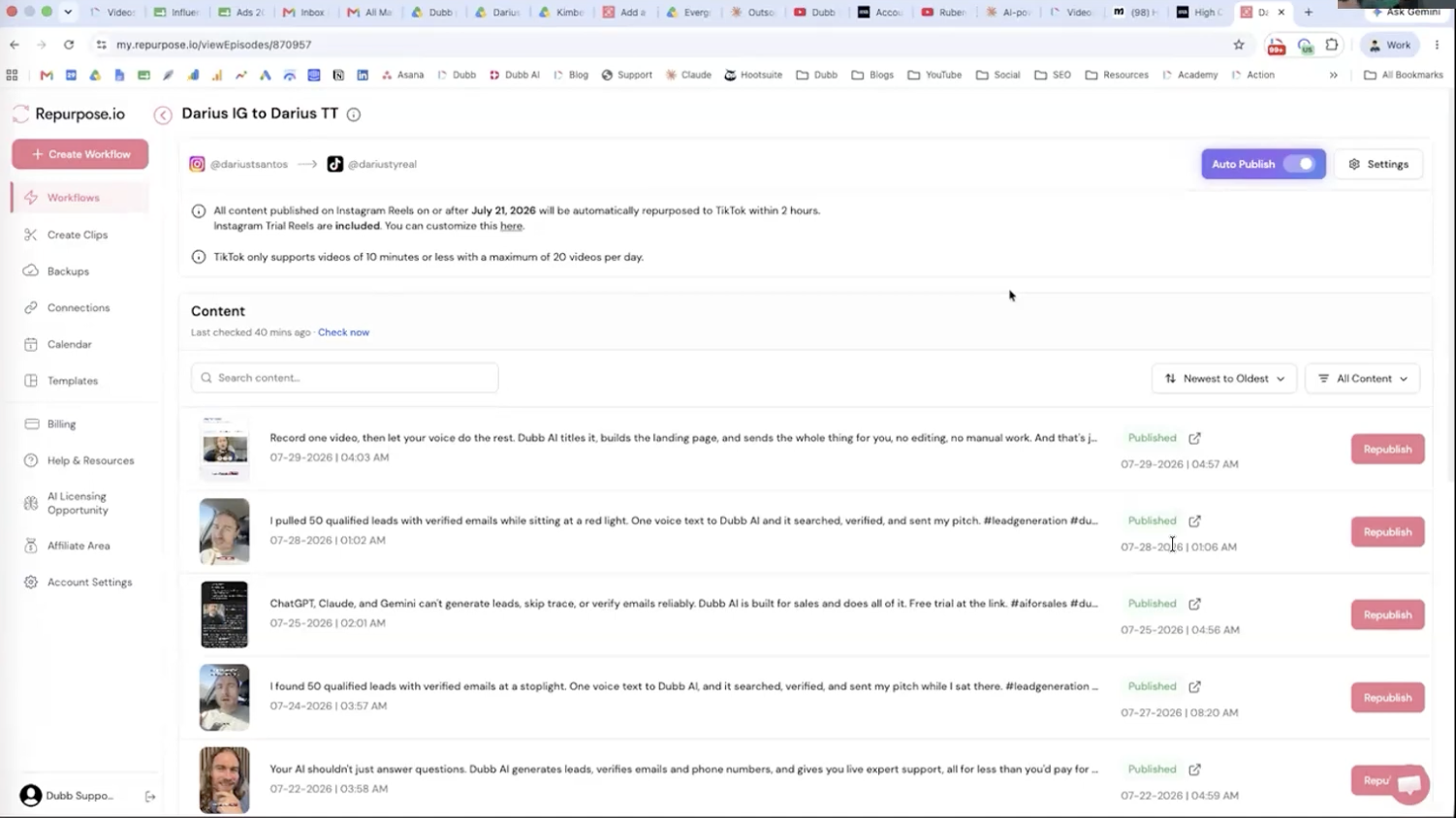
- Create your automations. Each automation is a rule pairing one origin with one destination. Post a video on an Instagram account, and it goes to TikTok. Post to another Instagram account, and it goes to X, YouTube, and onward.
- Add one rule per destination. Multiple accounts and multiple destinations are all handled as separate automations, which is what lets you route different origin accounts to different places.
- Publish natively to your primary channel. That publish is the trigger. From there the system takes over.
What I appreciate about this structure is that it does not change your posting habit at all. You publish where you always publish, and the distribution happens whether or not you remember it exists.
Why the Repost Is Not Instant
Worth setting expectations here, because it surprises people. This does not happen in real time.
You publish to your primary channel, the automation gets triggered, and the work is handed to what is called a cron job, a chronologically scheduled task. Within the next several hours, that job picks up the content and reposts it to your other channels.
This is not a defect, and for most purposes it is an advantage. Staggered arrival means the same asset shows up at different moments across platforms rather than announcing itself as a simultaneous bulk post. The only thing it rules out is time-sensitive content where a delay of hours would make the post irrelevant.
What Every Post Needs, Regardless of Channel
Distribution multiplies whatever you publish, which cuts both ways. Five things belong in every post before you let the automation carry it anywhere:
- Start with a hook. The opening seconds decide whether the rest gets watched.
- Provide value. Give the viewer something usable, not a teaser for something usable.
- Be visual in your communication. Show rather than describe wherever the point allows it.
- End with a call to action. State the next step explicitly.
- Keep the link in your bio live. That is the account section of each social channel, and it is the only place most platforms let you send traffic off-platform.
That last one is what people skip, and it is what turns distribution into something measurable. Reach across five channels with no destination is just reach.
Turning Distributed Traffic Into Conversions
Once the automation is running, traffic arrives from platforms you are not actively working. The question becomes where all of it lands.
Pointing every profile link at the same destination is what creates a funnel out of scattered attention. Dubb offers a bio link option that pairs a video with a landing page, so the visitor arriving from any channel meets the same message and the same next step rather than a generic homepage. That is the difference between social activity and monetized social activity.
These technologies can also be integrated into a Dubb agent at ai.dubb.com, which is worth exploring if you want the pieces connected rather than operated separately.
Common Mistakes and Troubleshooting
Pushing landscape video into portrait feeds. If your reposts to Instagram or TikTok get no traction while the originals perform, check the aspect ratio before blaming the content. Landscape video in a portrait-first feed is the most common cause.
Assuming the automation is broken because nothing appeared. Reposts arrive within several hours, not immediately. Give the scheduled job time before troubleshooting a working setup.
Skipping the connection step. Automations cannot fire to an account that was never connected. If one destination is silent while others work, verify that connection first.
Treating every channel as primary. Spreading native effort across five platforms produces five weak presences. Pick one, invest there, and let content repurposing cover the rest.
Running distribution with no profile link. You will generate traffic with nowhere to send it, which is the most expensive mistake on this list because it wastes work you already did.
Best Practices Worth Adopting
Publish natively to that one channel every time. The automation should be reading a real native post, not a cross-post that was itself automated from somewhere else.
Standardize on portrait video for anything you intend to put through content repurposing. It is the format with the fewest destination restrictions, which keeps your options open.
Point every profile link at one destination. Scattered links across channels make it impossible to know what is working.
Audit your automations periodically. Platform connections expire and permissions get revoked, usually silently. What I see most often is a setup that worked for months and quietly stopped feeding one destination.
Let the delay work for you. Because reposts arrive on their own schedule, you get staggered coverage from a single publish without planning it.
Content Repurposing Tools Compared
Repurpose.io is not the only option, and the category splits along a meaningful line: tools that react to something you published versus tools you publish from.
| Tool | Operating Model | Where the Content Originates | Best Fit Use Case |
|---|---|---|---|
| Repurpose.io | Trigger based. A native post fires a scheduled job that reposts elsewhere | Your primary channel, published natively as usual | Creators who already post consistently to one channel and want the others covered without changing that habit |
| Buffer | Scheduler. You compose once and queue to each destination | Inside the tool, before anything is published | Teams planning a calendar in advance who want per-channel control over copy and timing |
| Hootsuite | Scheduler plus monitoring and approval workflows | Inside the tool, often through a review step | Larger organizations needing governance, multiple contributors, and consolidated reporting |
| Later | Visual scheduler oriented around short-form and portrait feeds | Inside the tool, planned against a visual grid | Creators who want to see the feed composition before publishing |
The distinction matters more than any feature list. A scheduler asks you to change where you publish from. A trigger-based tool leaves your habit alone and works behind it. If your primary-channel posting is already consistent, the second model requires less of you.
Proof: Why This Actually Works
We run this setup on our own accounts, and it is straightforward enough to describe in full. A video published to an Instagram account triggers a repost to TikTok. A separate Instagram account routes to TikTok as well, and onward to X and YouTube. Each pairing is its own automation, and none of it requires a second upload.
Two patterns show up consistently across accounts running this kind of content repurposing. The first is that reach expands on channels receiving zero native attention, which is the entire point: those platforms had an audience the whole time and no content to serve it. The second is that the accounts seeing meaningful return are the ones with a live bio link pointing at a real destination. Distribution without a destination generates views and nothing else.
Methodology note: these are directional observations from our own multi-account setup and from aggregated, anonymized patterns across Dubb users running social distribution. They are not a controlled study, no figures are attached, and results vary by audience and channel mix.
The honest summary is that the automation is the easy part. Deciding on the primary channel and wiring the bio link to something worth arriving at is where the outcome is actually determined.
Frequently Asked Questions
How do I post to all my social media at once?
Connect your social accounts to a third-party automation tool, then create one automation per origin and destination pairing. When you publish natively to your primary channel, the tool detects the post and republishes it to the connected accounts without any further action from you.
The reposts do not appear immediately. The automation hands the work to a scheduled task, and the content typically arrives on the other channels within the next several hours.
What is a primary channel in social media?
Your primary channel is the single platform you commit to publishing natively on, chosen based on who you are and where your target audience already spends time. For some people that is Facebook, for others Instagram, YouTube, X, or TikTok.
The point of naming one is focus. You go all in on that channel to attract your ideal client profile, and everything else gets covered by automated distribution rather than by splitting your effort evenly across platforms.
Can I repurpose YouTube videos to TikTok?
Usually not with good results, because the formats do not match. YouTube long-form content is landscape 16:9, while TikTok and Instagram are primarily portrait-based channels built for 9:16 vertical video.
Portrait video is the format that travels well between channels. If your main output is landscape, you need a vertical edit before distribution rather than a direct repost.
Why does my automated post take hours to appear?
Because it is not running in real time. Publishing to your primary channel triggers the automation, which hands the task to a cron job, meaning a chronologically scheduled task that runs on its own timetable.
That job picks up your content and reposts it to the other channels within the next several hours. A delay is expected behavior, not a malfunction, so give it time before assuming the setup is broken.
What should every social media post include?
Start with a hook, provide real value, be visual in how you communicate, and end with a clear call to action. Those four elements apply on every channel regardless of where the post originated.
Keep a live bio link in your account section as well. As distribution drives traffic across multiple channels, the bio link is what lets you direct that traffic to a specific destination and build a funnel that converts.
What is a bio link and why do I need one?
A bio link is the link in the account section of your social profile, and on most platforms it is the only place you can send visitors off-platform. Without one, traffic generated across your channels has nowhere to go.
Dubb offers a bio link option that pairs a video with a landing page, so visitors arriving from any channel meet the same message and the same next step. That is what turns distributed reach into something you can monetize.
Building an Omni-Channel Workflow With Video
A content repurposing workflow is four decisions. Name your primary channel and publish there natively. Standardize on portrait video so the asset can travel. Wire one automation per destination and let the scheduled job handle delivery. Then point every bio link at a single destination so the traffic has somewhere to convert.
That last decision is the one people leave for later, and it is the one that determines whether any of the rest produces revenue. A bio link with a video and a landing page gives visitors from every channel the same clear next step, and the Dubb bio link option is built for exactly that. If you want the distribution and the conversion side connected rather than managed separately, the Dubb agent at ai.dubb.com is where those pieces come together.
Set the bio link up first, then turn the automations on. Traffic arriving at a destination that is ready for it is worth considerably more than traffic arriving early.