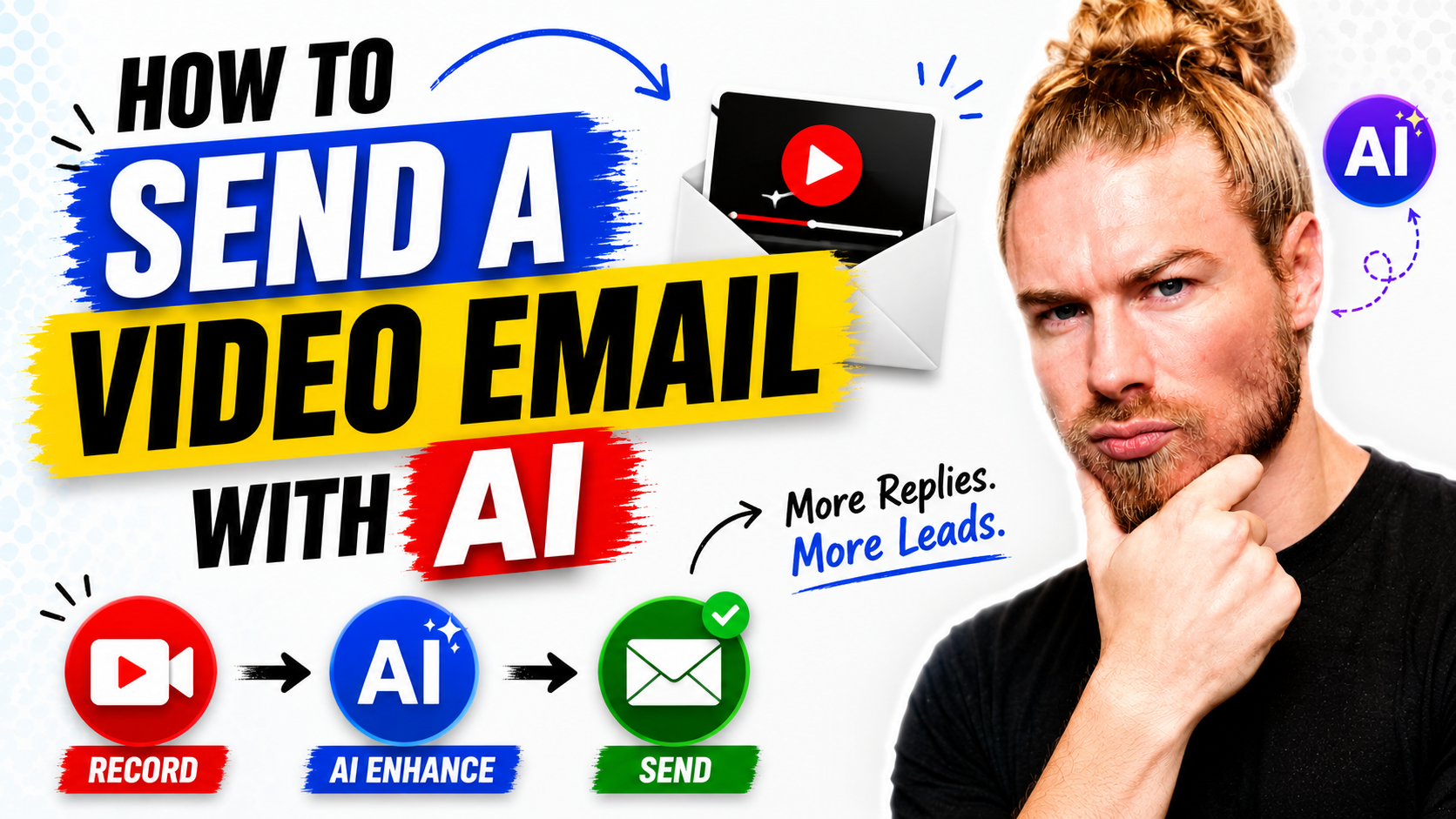
An AI video email is a personalized video message delivered through email, where an AI assistant handles the sending steps by voice. The person records a short video themselves, then speaks a command to the AI tool, which cleans up the instruction, writes the subject line, packages the video on a landing page, and sends it to the chosen recipient. The recipient receives an animated preview that links to the video.
What Is an AI Video Email?
An AI video email is a sales outreach message that pairs a recorded video with an AI assistant that automates the sending, subject line, packaging, and delivery. It sits within the video messaging and sales enablement category, alongside tools like Dubb, Loom, Vidyard, and BombBomb. The connection to Dubb is direct: Dubb’s AI is described as the only AI connected to the video communication tool, and it is also connected to email, CRM, and other communication channels, which lets a recorded video be sent as an email through a spoken command rather than a manual sequence of clicks.
Why Send a Video Email Instead of Plain Text?
The reason to reach for video in the first place is cut-through. A face and a voice land differently in a crowded inbox than a wall of text. The case made for video email in this workflow is that it can be roughly ten times more effective than a standard email. Treat that figure as a vendor-stated, directional claim rather than an independent benchmark, but the underlying logic holds: personalized video signals real effort, and real effort is what builds trust with a prospect you are trying to break through to.
That is also why the recording itself is the one part worth doing by hand. When the goal is business development and building trust, the recipient should not be able to tell the intro was generated. The human moment is the asset. Everything after it, the subject line, the packaging, and the send, is where AI earns its keep.
Step-by-Step: Sending a Video Email With AI
The workflow splits cleanly into one human step and the rest handled by voice. That division is the whole point: you record the part that requires you, and the AI does everything else.
Step 1: Record the Video Yourself
Press record and capture a short, personal intro. You can record from a mobile app, from any device, or from the desktop recorder. This is the step to keep AI out of, especially for outreach meant to build trust. A natural script sounds like this:
“Hey John, I wanted to personally introduce myself. I’m Darius, co-founder of Dubb. I made this video just for you because my team did some research and knows you’re a perfect fit. Right after this you’ll find a short video explaining what Dubb can do for your sales team, plus case studies showing how we’ve helped teams just like yours with AI and video. Take a look, let me know your thoughts, and when you’re ready, let’s schedule a time.”
Notice the intro does not try to explain everything. It points to a short explainer video and case studies that sit right beside it, so the personal clip stays brief and human.
Step 2: Hand the Rest to the AI by Voice
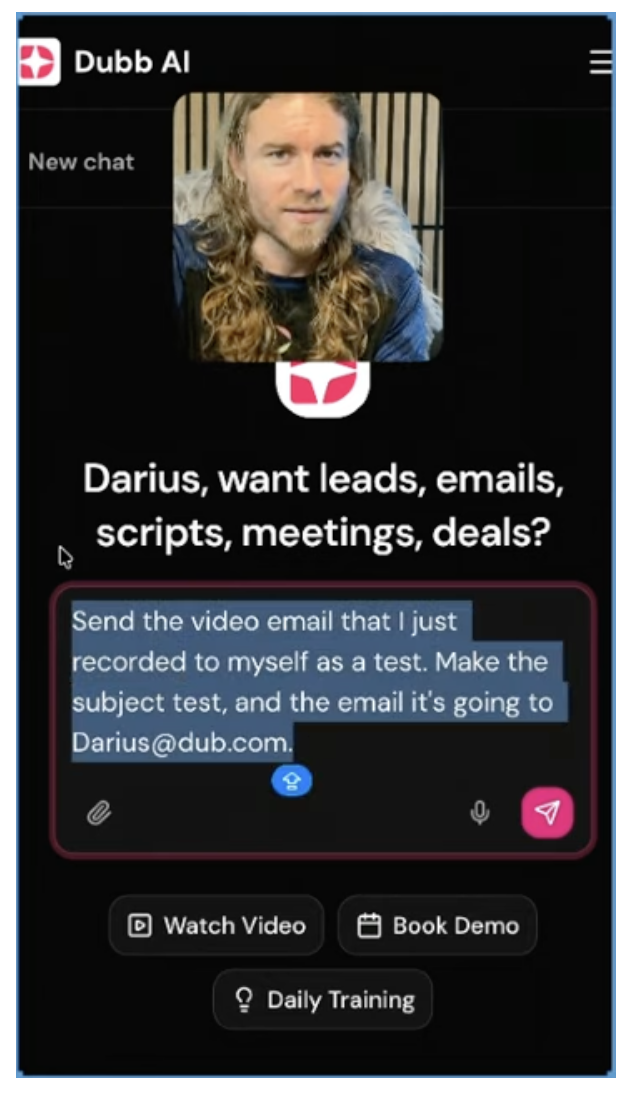
Once the recording is done, switch to the AI tool, press record, and simply say what you want. In the example, the spoken command is to ignore the throat-clearing at the start, send the video email that was just recorded to a specific address, and set the subject line. The AI listens, strips out the filler and false starts, and keeps only the instruction you meant to give.
Step 3: Let the AI Assemble and Send
From there the AI takes the email and the video, packages them together, and sends the message with an animated GIF preview and everything the recipient needs to click through. No manual formatting, no separate upload step. The spoken instruction becomes a sent email.
AI Video Email Tools Compared
Several credible tools sit in the video messaging category. They differ less on whether they can record and send video and more on how much of the send and follow-up they automate. The comparison below is based on publicly available positioning. Pick by use case, not by hype.
| Platform | Best Fit | Video Recording | Send by AI Voice Command | Email / CRM Connected + Follow-Up Automation |
|---|---|---|---|---|
| Dubb | Sales teams that want to record, send, and follow up in one place | Mobile app, desktop, any device | ✓ AI cleans the command and sends | ✓ Connected to email, CRM, and other channels |
| Loom | Async screen-share updates and explainers | Screen and webcam recording | Not a stated focus | Limited |
| Vidyard | Reps who need hosted sales video with viewer tracking | Personalized sales video | Not a stated focus | Via integrations |
| BombBomb | Relationship-driven video email outreach | Video email | Not a stated focus | Email-centric |
Notes on the comparison: Loom is a strong fit when the job is async communication rather than sales outreach. Vidyard and BombBomb both handle sales video and video email well, with BombBomb leaning into relationship-based sending. The distinction in this workflow is the AI layer: an assistant connected to the video tool, email, and CRM that can take a spoken instruction and complete the send, then carry the follow-up. Confirm the current feature set on each vendor’s site before deciding, since these platforms update frequently.
What the Recipient Actually Sees
On the receiving end, the message does not look like a raw file attachment. The AI automatically titled the video, packaged it on a landing page, and delivered it to the chosen email address. The email itself carries an animated GIF preview of the video, which is what invites the click. The recipient opens a clean, branded page with the video ready to play, not a generic inbox message with a link buried in it.
That packaging matters because it removes friction on both sides. You did not build the page or write the subject line, and the recipient did not have to hunt for the content. The personal recording plus automated packaging is what makes the message feel intentional while taking almost none of your time.
Automating Follow-Ups and Your Inbox
Sending one video email by voice is the starting point, not the finish line. The larger payoff is automating what usually falls through the cracks: the follow-ups, the replies you forgot to send, and the steady nurturing every lead needs. The same AI that sent the first message can run your inbox on your behalf, so sequences go out to each lead, prospect, and opportunity while you sleep.
A rule I use: the only part a human must record is the part that builds trust. The subject line, the packaging, the send, and the follow-up can all be handed to the AI, and those are exactly the steps that stall when you rely on memory and free time.
Common Mistakes to Avoid
Using AI to fake the personal video. For business development, the intro is the trust-builder. If the recipient can tell it was generated, the effort signal disappears. Record that part yourself. Not connecting email and CRM. The AI can only send, package, and follow up if it is wired into your email and CRM. Skipping that setup leaves you back at manual clicks. Cramming the whole pitch into the intro. The recorded clip should stay short and human, then point to a short explainer and case studies beside it, rather than trying to explain everything on camera. Relying on manual follow-up. The first video email is easy to send. The follow-ups are what get forgotten, which is the exact task worth automating.
Best Practices for AI Video Email
Keep the recorded intro genuinely personal and brief. Name the person, say why you singled them out, and set up what comes next. Let the AI handle the mechanics. Speak the instruction, name the recipient and subject, and let the assistant strip the filler and send. Stack supporting content right after the intro. A short explainer video and relevant case studies beside the personal clip carry the detail so the intro stays light. Wire up the follow-up before you need it. Set the nurturing sequence so no lead sits waiting on your memory.
A practical rule of thumb: record once, automate the rest. If you find yourself manually writing subject lines or copying video links, the AI layer is not set up yet, and that manual work is where video outreach quietly dies.
Proof: Why This Actually Works
In practice, the teams that get results from video email are not the ones with the fanciest recordings. They are the ones whose follow-up actually happens. Based on anonymized usage patterns across sales-focused users sending video-based outreach on Dubb, observed over a rolling 12-month period, a few directional patterns show up repeatedly. Reps who send a personal video and then let automation carry the follow-up tend to get more replies than reps who send a single video and follow up by hand, which matches the simple truth that most deals are lost to silence rather than to a bad first message.
A mid-sized sales team tested the voice-to-send approach against their old process of recording, uploading, and formatting each email manually. Delivery went from a multi-step task to a spoken instruction, and the time saved was redirected into more first touches and, more importantly, consistent follow-up. They reported re-engaging contacts who had gone quiet, prompted not by a hard sell but by a timely, personalized video that arrived without anyone remembering to send it. What I observe consistently is that the barrier is rarely effort, it is the perception of effort: once a team sees that a send takes a sentence spoken aloud, adoption follows quickly.
Methodology note: Directional patterns drawn from anonymized, aggregated activity across sales users over a 12-month observation period. Not a controlled study. Individual outcomes vary.
Frequently Asked Questions
How do I send a video email using AI?
Record a short video yourself, then give a spoken command to an AI assistant that is connected to your video tool and email. The AI cleans up your instruction, writes the subject line, packages the video on a landing page, and sends it to the recipient you named. The manual part is only the recording; the sending is handled by voice.
What is an AI video email?
An AI video email is a personalized video message delivered through email, where an AI assistant automates the subject line, packaging, and delivery. You provide the recorded video and the intent, and the AI completes the send, including an animated preview and a landing page for the recipient.
Should I use AI to record the video itself?
For outreach meant to build trust, no. The recorded intro is the part that signals real effort, so it should be genuinely you and not generated. Keep AI out of the recording and use it for everything downstream, such as sending, packaging, and follow-up.
Is video email more effective than regular email?
Proponents argue it is significantly more effective, with one figure cited in this workflow putting video email at roughly ten times the effectiveness of a plain-text email. That is a directional, vendor-stated claim rather than an independent benchmark, but the reasoning is sound: a face and a voice stand out in an inbox full of text.
Can AI handle my email follow-ups automatically?
Yes. The same AI that sends the first video email can automate your inbox, sending follow-up sequences to each lead, prospect, and opportunity on its own, including while you are asleep. This removes the manual step that most often causes outreach to stall.
What does the recipient see when I send a video email?
The recipient gets an email with an animated GIF preview that links to the video. The AI automatically titles the video and packages it on a landing page, so the person clicks into a clean, ready-to-play page rather than a raw attachment or a bare link.
Streamlining Your Outreach With AI Video Email
The whole workflow reduces to a simple split. You record the one part that has to be human, a short personal video that earns trust, and the AI does the rest: cleaning up your spoken instruction, writing the subject, packaging the video on a landing page, sending it with a preview, and then carrying the follow-up so no lead goes cold. Dubb is built to run that split, with an AI connected to the video tool, your email, and your CRM. If you want to send a video email with AI the way it is described here, check the link in the training chat or start with Dubb directly at Dubb.com.