What is Dubb Presets?
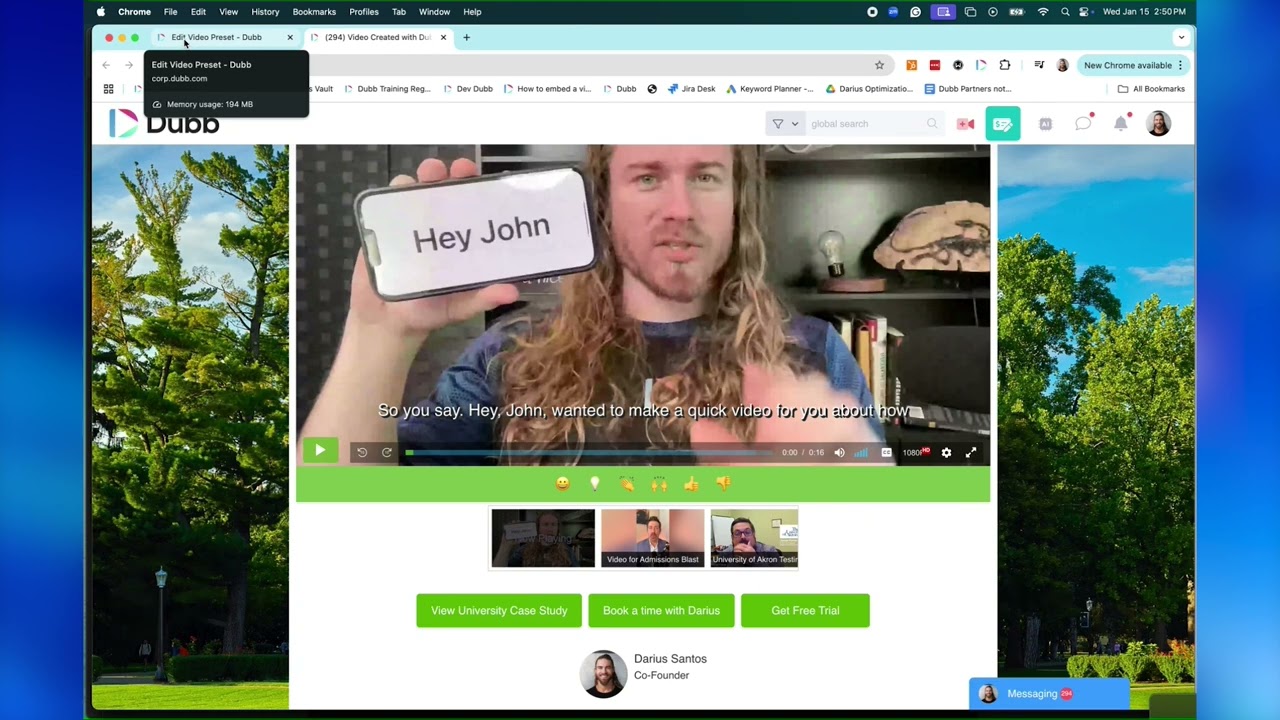
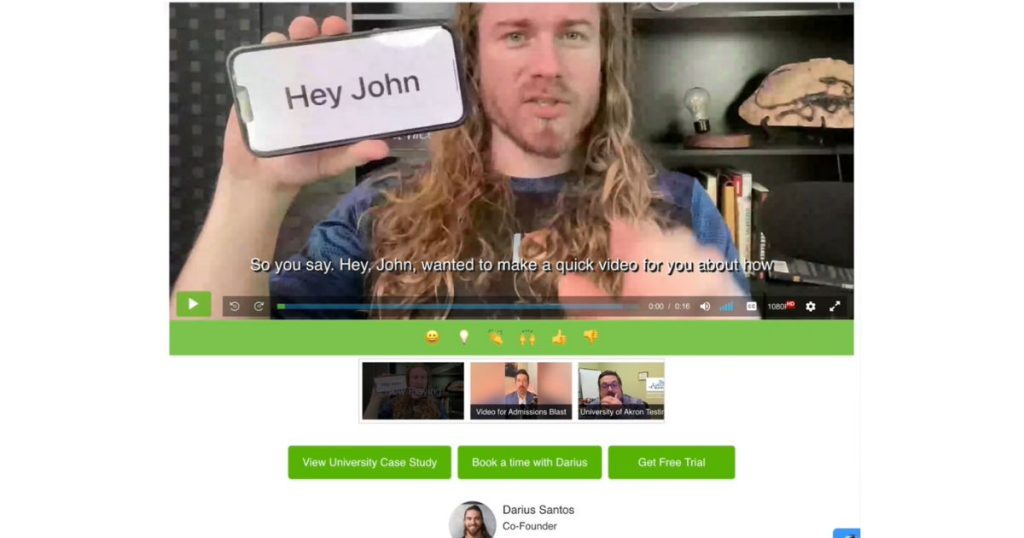 Dubb Presets allow you to create and save video landing page layouts that include specific CTAs, branding elements, video sequences, and engagement tools. These presets can be applied instantly to any video, saving time while ensuring consistency across all communications.
Think of them as your go-to templates for different sales, marketing, or customer service scenarios. Whether you’re sending a follow-up video, a product demo, or an onboarding message, you can apply the perfect preset in seconds.
Dubb Presets allow you to create and save video landing page layouts that include specific CTAs, branding elements, video sequences, and engagement tools. These presets can be applied instantly to any video, saving time while ensuring consistency across all communications.
Think of them as your go-to templates for different sales, marketing, or customer service scenarios. Whether you’re sending a follow-up video, a product demo, or an onboarding message, you can apply the perfect preset in seconds.
Why You Need Video Landing Page for Video Marketing
Creating a powerful video is just half the battle. If the landing page doesn’t guide your viewers effectively, you’re missing out on potential conversions. Here’s why video landing page are essential:- Consistency: Ensure your branding, messaging, and CTAs are uniform across all videos.
- Efficiency: Save time by applying pre-designed layouts instead of customizing every video manually.
- Higher Engagement: Drive viewers to take action with strategic CTA placements.
- Personalization: Tailor the experience based on the viewer’s journey, industry, or role.
Key Features of Dubb Coaching Presets
Dubb Coaching Presets offer a suite of tools designed to optimize video engagement and lead conversion. Here are some standout features:- Customizable Video Landing Pages
- Add logos, background images, and brand colors.
- Include clickable CTAs (schedule a call, download a file, visit a website, etc.).
- Pre-Set CTA Actions
- Customize CTAs for different use cases, such as sales outreach, customer support, or internal communications.
- Automated Follow-Ups
- Set up auto-responses based on viewer interactions.
- Integrated Forms and Surveys
- Collect viewer data in real-time directly from your video landing page.
- A/B Testing Capabilities
- Test different video layouts and CTA placements to maximize engagement.
How to Set Up Dubb Presets
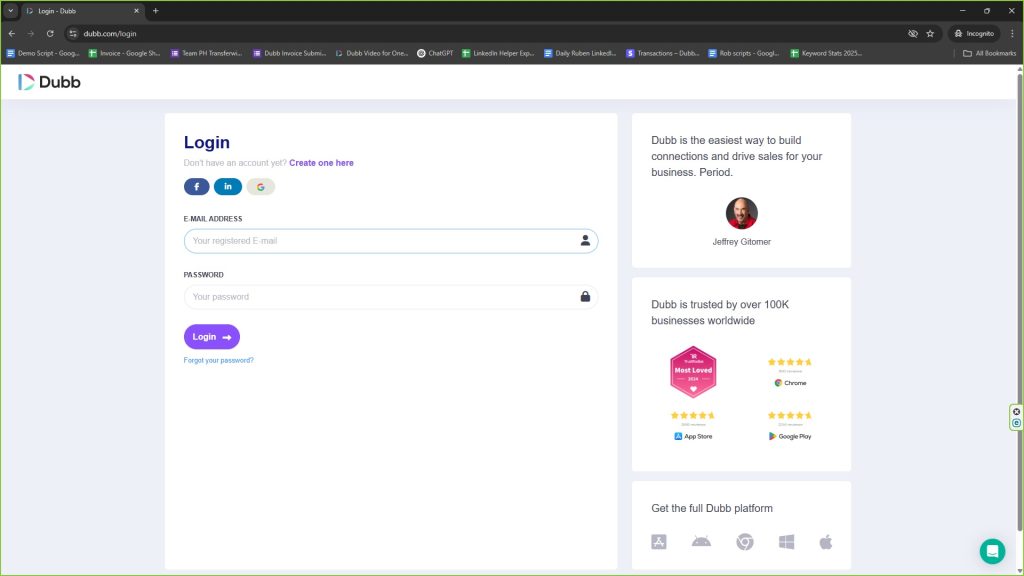
Creating a preset on Dubb is simple. Follow these steps:- Log in to your Dubb account.
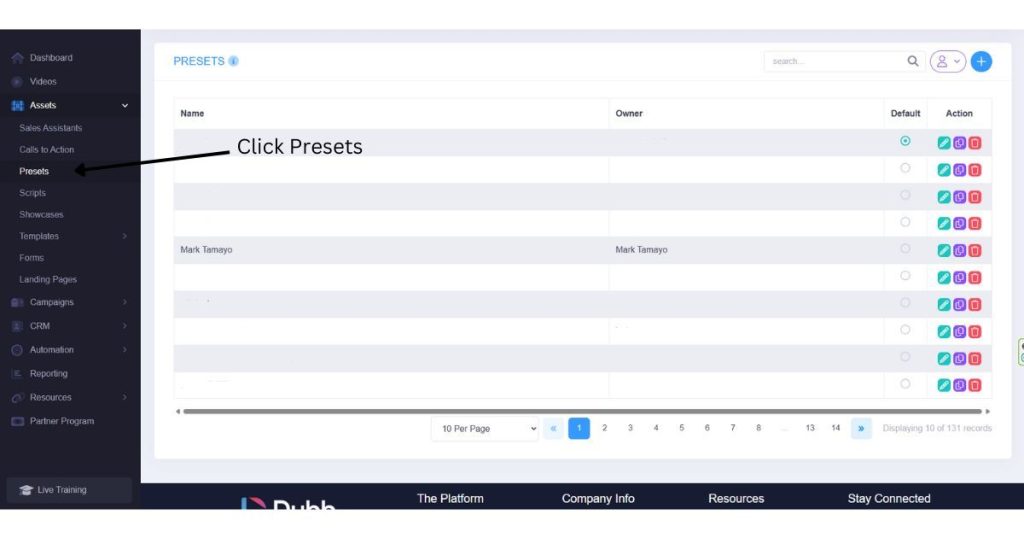
- Navigate to the ‘Presets’ section under video settings.
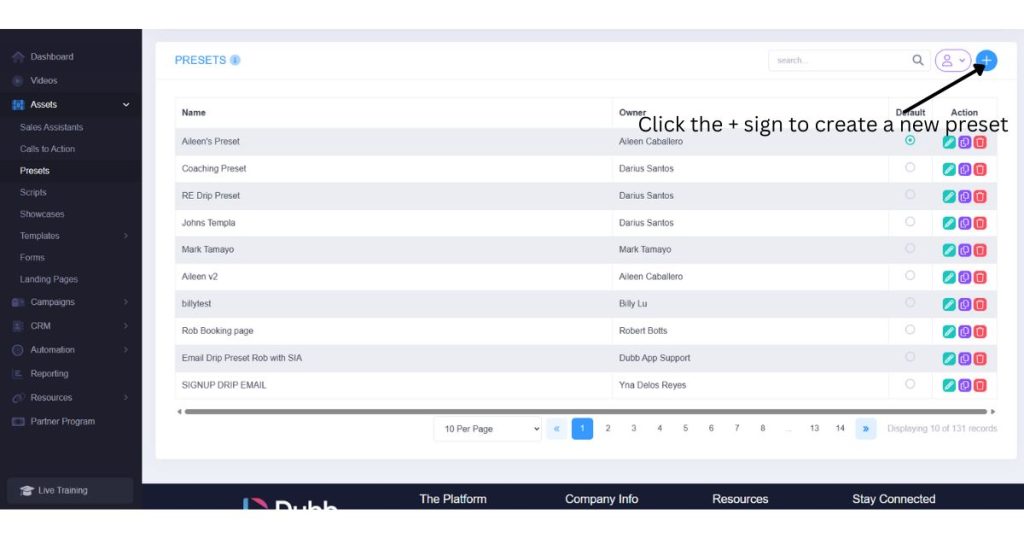
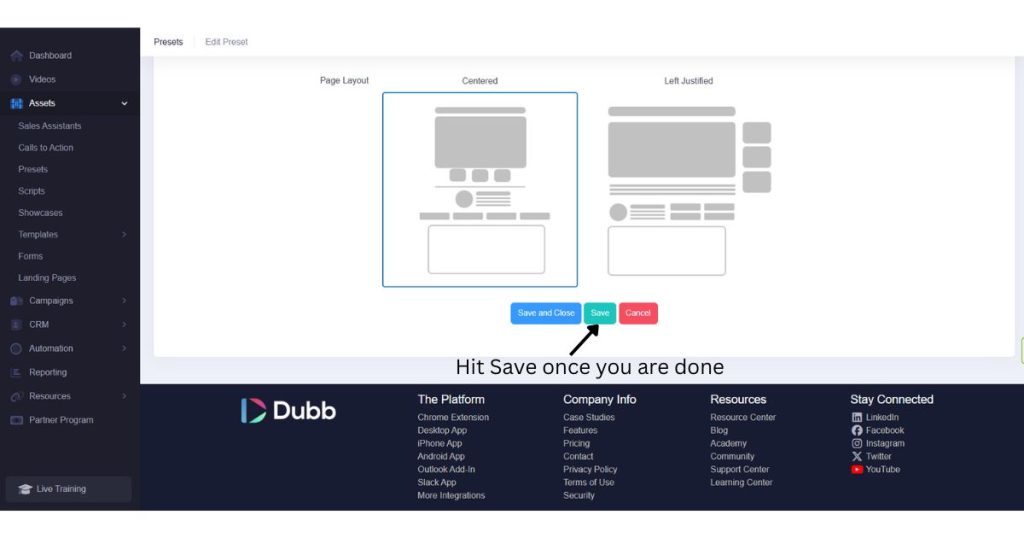
- Create a new preset by customizing a landing page layout.
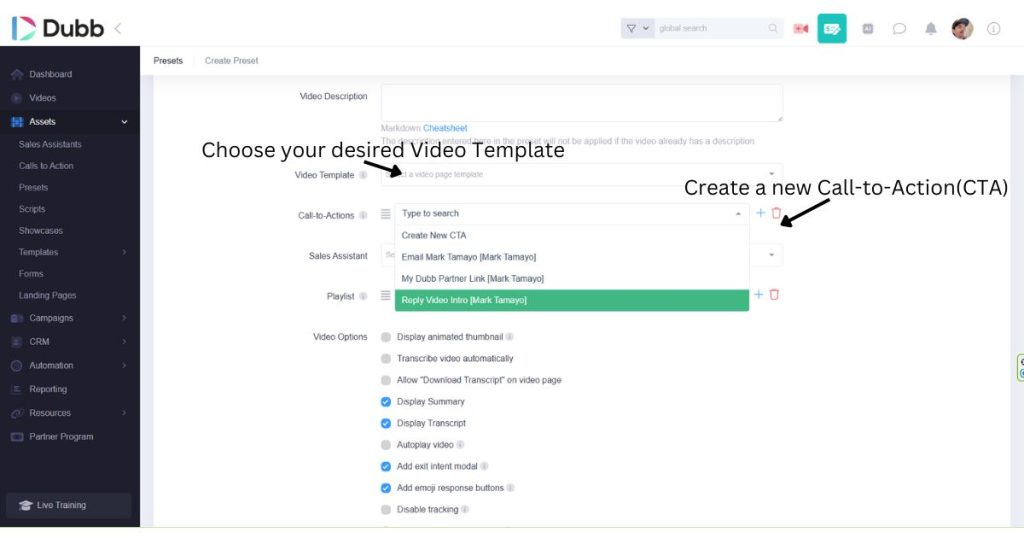
- Add your branding elements, CTAs, and engagement features.
- Save the preset and apply it to any future video with one click.
Best Practices for High-Converting Video Landing Pages
To maximize the effectiveness of your coaching presets, keep these best practices in mind:- Keep it Simple: Don’t overload the page with too many elements. Focus on one main action you want the viewer to take.
- Use Clear CTAs: Your call-to-action should be visible and compelling. Use action-driven language like “Book a Demo” or “Download the Guide.”
- Optimize for Mobile: Ensure your landing pages look great on both desktop and mobile devices.
- Leverage Social Proof: Add testimonials, case studies, or reviews to build trust.
- Track Engagement: Use Dubb’s analytics to monitor viewer behavior and tweak your presets accordingly.