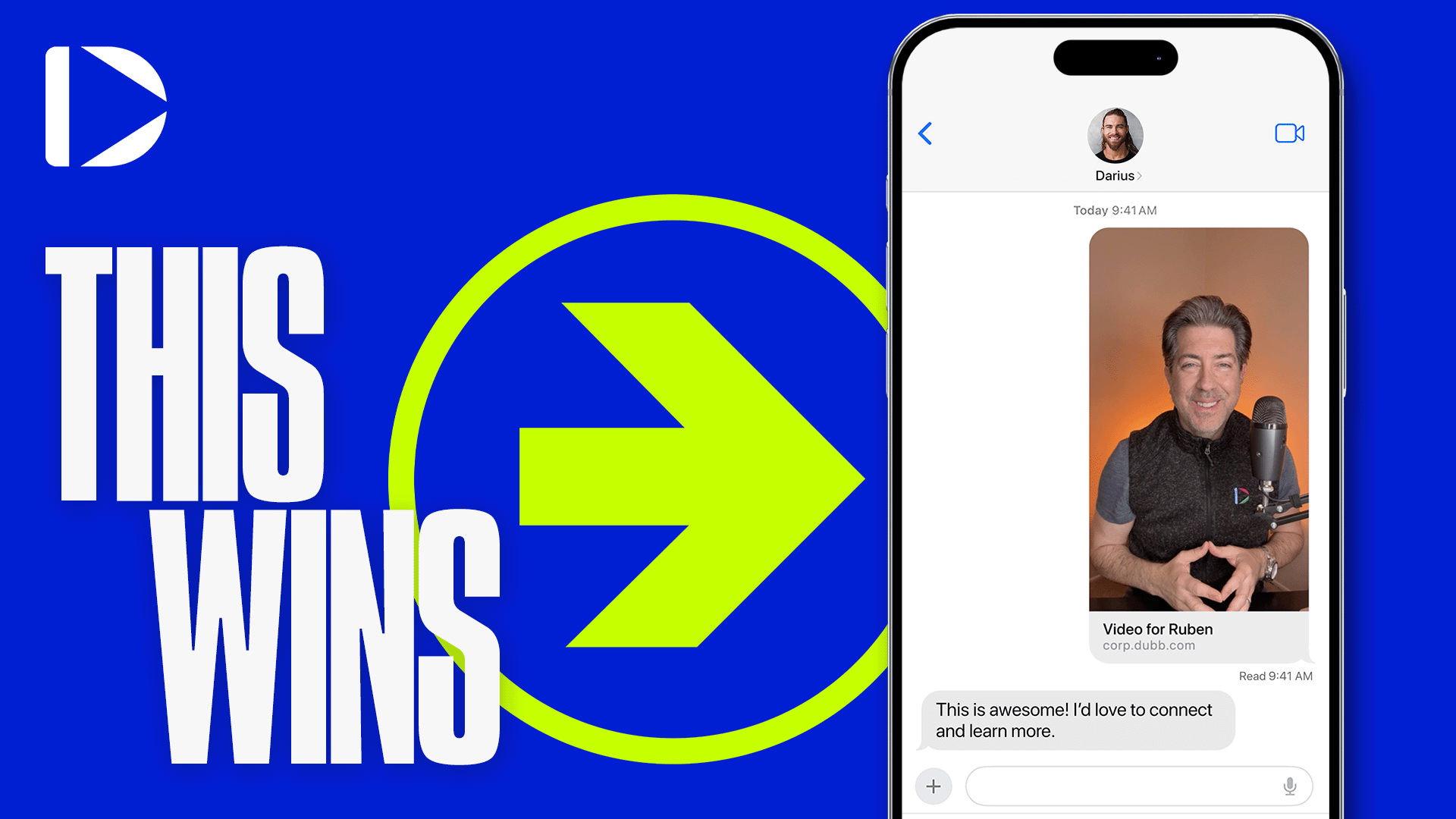
Video testimonials are collected by sending a client a short recorded request containing a response button, which allows them to record or upload a video reply without downloading software, creating an account, or installing anything. The request can be delivered by text message, email, or direct message. Once collected, the resulting video can be placed in a playlist that follows other videos, embedded on websites and landing pages, published to social platforms, and used as a touch point inside marketing automation.
What Is a Video Testimonial?
A video testimonial is a recorded statement in which a customer describes their experience of a product or service in their own words and likeness. It differs from a written review in that identity, tone, and expression are visible, which makes the endorsement harder to fabricate and easier for a prospect to assess.
In Dubb, collection runs through the video response button that appears beneath a shared video, so a client can reply with a recording or upload one they already have. The collected testimonial can then be added to a playlist that plays automatically after your other videos, or embedded elsewhere using the embed options on the video's share menu.
Table of Contents
- Why Your Customers Outrank Your Copy
- The One-Click Collection Method
- Why Removing the Friction Is the Whole Trick
- What to Say in the Request
- Get Permission Before You Publish
- The Four Places a Testimonial Belongs
- Placement One: The Playlist
- Placement Two: Embedded on Your Pages
- Placement Three: Social Platforms
- Placement Four: Your Automations
- Common Mistakes and Troubleshooting
- Best Practices Worth Adopting
- Testimonial Tools Compared
- Proof: Why This Actually Works
- Frequently Asked Questions
- Letting Your Customers Be Your Funnel
Why Your Customers Outrank Your Copy
Everything you say about your business is a claim. Everything a customer says about it is evidence. That asymmetry is why video testimonials remain the most persuasive asset most businesses own, and why the ones sitting uncollected represent real lost revenue.
Video raises the stakes further. A written quote with a name and a headshot is easy to doubt, because everyone knows how easily one could be written by the company itself. A person on camera, in their own voice, with their own hesitations and enthusiasm, is a different order of proof. The prospect is not evaluating a sentence. They are reading a human being.
The obstacle has never been that businesses do not want testimonials. It is that asking for one has traditionally meant imposing on a client: scheduling a call, sending instructions, asking them to figure out software. Most people quietly decide not to bother. The rest of this comes down to removing that friction.
The One-Click Collection Method
The whole request takes about a minute to set up and almost nothing from the person receiving it.
- Record a short video asking for the testimonial. From your phone, your webcam, or wherever you are. This is a one-take, thirty-second recording, not a production.
- Send it to the client. Text message, email, or a direct message all work. Text usually gets opened fastest.
- They click the response button beneath your video. It sits right under the player, so there is nothing to find.
- They record a reply or upload an existing video. Either option is available, which matters more than it sounds.
- The testimonial arrives back with you. Ready to place.
What they do not have to do is the important part. No downloading. No signing up. No installing anything. No account to create, no password to invent, no app to approve.
Why Removing the Friction Is the Whole Trick
It is worth dwelling on why that matters, because the instinct is to treat it as a convenience detail rather than as the mechanism.
Your client is not refusing to help you. They are busy, and every step you add is a place where a willing person becomes a person who will do it later. Asking someone to create an account on a platform they have never heard of, in order to do you a favour, is asking for a lot more than it appears. Most people will agree in the moment and never complete it.
A single button under a video they were already watching removes essentially all of that. The rule I would apply is that the number of testimonials you collect is inversely proportional to the number of steps you ask for. Two steps gets you a handful. One step gets you most of the people who said yes.
The upload option covers the remaining case. Some clients would rather film on their own time, in their own space, and send you something they already recorded. Letting them do that costs you nothing and converts the people who dislike being put on the spot.
What to Say in the Request
The request video does more work than people expect, because a vague ask produces a vague testimonial. "Would you mind saying a few words?" reliably returns thirty seconds of pleasant, useless praise.
Give them something to answer instead. Two or three specific prompts will do it:
- What was the situation before? The problem that made them look for help in the first place.
- What changed? What they did differently and what happened as a result.
- Who would you tell to do this? This one produces the line that speaks directly to your next prospect.
Tell them the length you have in mind, that a single take is completely fine, and that they can re-record if they want. Permission to be imperfect is what gets the recording made at all, and slightly rough footage reads as more credible than a polished one anyway.
Get Permission Before You Publish
This step is missing from most advice on the subject and it belongs here, before distribution rather than after.
Someone sending you a video reply has agreed to give you a testimonial. They have not necessarily agreed to appear on your homepage, in your ads, and in an automated email sequence for the next three years. Ask explicitly, and ideally in writing, where you intend to use it. A single sentence in your request video and a follow-up message covers it, and it takes the awkwardness out of the conversation later.
Three further points worth knowing if you are publishing in the United States, where the FTC's endorsement guidelines apply. Testimonials must be genuine, from real customers, reflecting honest opinions. Editing must not change the meaning of what someone said, so trimming for length is fine while cutting a qualification is not. And if you gave anything of value in exchange, including a discount, a gift, or free service, that material connection generally needs disclosing. Rules differ by jurisdiction, so check what applies where you publish.
None of this is a reason to hesitate. It is a reason to ask clearly once, at the point where asking is natural, and then use the testimonial with confidence.
The Four Places a Testimonial Belongs
Collection is the first half. Most businesses that collect video testimonials underuse them badly, filing them somewhere and mentioning them on a single page.
| Placement | Where It Appears | The Job It Does | Effort to Set Up |
|---|---|---|---|
| Playlist | After any video you send for outreach or booking | Follows your ask with proof, at the moment the viewer is deciding | Configure once, then it applies automatically |
| Embedded | Your website and landing pages | Reassures visitors who arrived on their own and are evaluating you | Copy an embed code per page |
| Social | Every platform you publish on | Reaches people who do not know you yet, with proof rather than a pitch | Upload per platform |
| Automations | Inside your follow-up sequences | Replaces empty check-in messages with something worth opening | Add to a sequence once, runs indefinitely |
One testimonial, four placements, and the setup work happens once. The last row is the one most people have never considered, and it may be the most valuable.
Placement One: The Playlist
This is the placement with the best timing, because it arrives at the exact moment a decision is being made.
When you send a video for business development, lead generation, or booking an appointment, your testimonial plays automatically in the playlist after it. So the sequence a prospect experiences is you introducing yourself and asking for a meeting, and then, without them doing anything, a customer explaining what working with you was like.
That order matters. You make the ask, and the proof arrives immediately afterwards, while they are still deciding. No separate page to visit, no case study to open. Configure the playlist once and it applies to the videos you send from then on.
Placement Two: Embedded on Your Pages
Every video you create carries the same embed options, so a testimonial can be placed into any page you control.
Open the video, click the share button, then the embed tab. Two embed options are offered there, and you paste the code into your website or landing page wherever a video belongs.
Placement beats volume here. A testimonial next to the thing it is about will do more than a dozen testimonials collected on a separate reviews page nobody visits. Put the client talking about your onboarding beside your onboarding section, and the one talking about results near your pricing.
Placement Three: Social Platforms
The same file can be uploaded natively to every platform you publish on.
What makes testimonials unusually well-suited to social is that they are not self-promotion in the format the feed punishes. Someone else is doing the talking, the content carries a story rather than a claim, and a viewer who has never heard of you gets a proof point before they get a pitch.
Keep the person's permission in view here too, since posting to a public platform reaches an audience that a page embed does not.
Placement Four: Your Automations
Here is the question that comes up constantly: what should actually go in my automated sequences?
The default answer, and the reason so many sequences perform badly, is the empty check-in. "Just following up." "Just checking in." "Wanted to circle back." These messages contain nothing. They ask the recipient for attention while offering nothing in exchange, and everyone recognises the pattern immediately.
A testimonial in that slot inverts the exchange. Instead of asking for something, you are sending inspiration, motivation, or education in the form of a story about someone like them. It is a touch point that gives rather than takes, and it advances the case for working with you without a single line of pitch.
What I see most often is teams with excellent testimonials and follow-up sequences full of check-in messages, which is a strange thing to leave on the table. Build the sequence out of the stories your customers already gave you and let your customers be your funnel.
Common Mistakes and Troubleshooting
Asking clients to sign up for something. Any platform requiring an account will lose most of the people who agreed to help. The response button exists so there is nothing to join.
A vague request. "Say a few words" returns generic praise. Ask two or three specific questions instead.
Collecting and then filing. A testimonial sitting in a folder is worth nothing. Place it the same week you receive it.
Using it in more places than you asked about. Confirm where you intend to publish before you publish. It avoids an uncomfortable conversation later.
Editing in a way that changes meaning. Trimming for length is fine. Cutting the qualification that made the praise honest is not.
Waiting for a perfect one. A slightly rough phone video from a real customer outperforms a polished one that never gets made.
Filling automations with check-in messages. If your sequence has nothing to say, put a customer story in the slot.
Best Practices Worth Adopting
Ask while the result is fresh. The moment a client says something appreciative is the moment to send the request, not three months later when the feeling has faded.
Send it by text where the relationship allows. It gets opened faster than email, and speed matters more than formality for a favour like this.
Collect several rather than one. Different clients articulate different benefits, and having a library lets you match the testimonial to the audience.
Place each one where the claim it supports appears. Proximity does more work than quantity.
Put permission in the same conversation as the request. Asking once, clearly, at the natural moment is far easier than going back for it later.
Testimonial Tools Compared
Several tools handle video testimonials well. The distinction that matters is what happens after the video arrives.
| Tool | Category Focus | How Clients Respond | Best Fit Use Case |
|---|---|---|---|
| Dubb | Video messaging with collection and distribution together | A response button beneath a video you sent, with no signup or install | Businesses already sending video, who want testimonials to flow into playlists, embeds, and automations |
| Testimonial.to | Dedicated testimonial collection and display walls | A hosted collection page you send people to | Teams wanting a purpose-built wall of proof to embed on a site |
| Senja | Collection plus repurposing into shareable formats | A collection form or link | Marketers who want to turn testimonials into social graphics and widgets |
| VideoAsk | Conversational video forms and async interviews | A branching video conversation they step through | Anyone wanting structured multi-question responses rather than one open reply |
If testimonials are a standalone project, a dedicated collection tool is a clean fit. If you already send video to clients as part of how you work, collecting the reply through that same video removes the separate destination entirely, and the testimonial lands where your other videos already live.
Proof: Why This Actually Works
The mechanism here is observable rather than theoretical. A response button sitting beneath a video the client is already watching removes the account creation, the download, and the install, which are the three points where testimonial requests have historically died.
Two patterns hold consistently across the businesses we work with. The first concerns the ask: requests that name two or three specific questions come back with usable, specific testimonials, while open-ended requests come back with generic praise that supports nothing in particular. The difference is in the request rather than in the customer.
The second concerns placement. Businesses that route testimonials into playlists and automations, so the proof arrives without anyone deciding to send it, get considerably more use out of each one than businesses that place them manually. Manual placement depends on someone remembering, and over a quarter, remembering loses.
Methodology note: these are directional observations drawn from aggregated, anonymized usage patterns across Dubb users collecting and sharing testimonials, not a controlled study. No figures are attached to either pattern, and outcomes vary by industry, relationship depth, and how the request is made.
The summary is uncomfortable for anyone sitting on a folder of unused testimonials. Collecting them was the hard part and you already did it. The value is entirely in where they end up.
Frequently Asked Questions
How do I get a video testimonial from a client?
Record a short video asking for one and send it by text message, email, or direct message. Beneath your video there is a response button they click to record a reply or upload a video they already have.
They do not need to download anything, sign up for an account, or install software, which is what makes the difference between a client who agrees and a client who actually sends one. Text tends to get opened fastest.
What should I ask for in a testimonial?
Give them two or three specific questions rather than asking for a few words. What the situation was before, what changed and what happened as a result, and who they would recommend it to.
An open-ended request returns generic praise that supports nothing in particular. Specific questions return specific answers you can actually place next to a claim on your site. Tell them one take is fine, since permission to be imperfect is what gets it recorded at all.
Do I need permission to use a customer testimonial?
Ask explicitly, ideally in writing, where you intend to use it. Someone agreeing to record a testimonial has not necessarily agreed to appear on your homepage, in advertising, and in an automated sequence indefinitely.
In the United States, the FTC's endorsement guidelines also require that testimonials be genuine and reflect honest opinions, that edits not change the meaning of what was said, and that anything of value given in exchange be disclosed. Rules vary by jurisdiction, so check what applies where you publish.
Where should I put my video testimonials?
Four places. In a playlist so they play automatically after the videos you send for outreach and booking. Embedded on your website and landing pages. Uploaded natively to your social platforms. And inside your marketing automation as a follow-up touch point.
Placement matters more than volume. A testimonial positioned beside the claim it supports does more work than a dozen collected on a separate reviews page that visitors rarely open.
How do I embed a testimonial on my website?
Open the video, click the share button, then the embed tab. Two embed options are available there, and you paste the code into your website or landing page.
Every video carries the same embed options, so any testimonial you collect can go onto any page you control. Put each one near the section it relates to rather than grouping them all in one place.
What should I put in my automated follow-up emails?
Testimonials, in place of check-in messages. "Just following up" and "just checking in" ask for attention while offering nothing, and recipients recognise the pattern immediately.
A customer story in that slot reverses the exchange. You are sending inspiration, motivation, or education about someone like them, which advances the case for working with you without any pitch at all.
Letting Your Customers Be Your Funnel
The sequence is short enough to start this week. Record a thirty-second request with two or three specific questions in it. Send it by text to the clients who have already said something appreciative. Confirm where you may use their reply. Then place each testimonial four times: playlist, page embed, social, and automation.
What makes the last part sustainable is that most of it configures once. The response button means clients reply without joining anything, the playlist puts proof directly after every ask you send, and the embed options put the same video on any page you control. Dubb runs free trainings and a free trial if you want help setting the collection up.
Start with one client today. The strongest marketing asset your business owns is already in the hands of people who like you, and the only thing standing between you and it is a short video and a button.