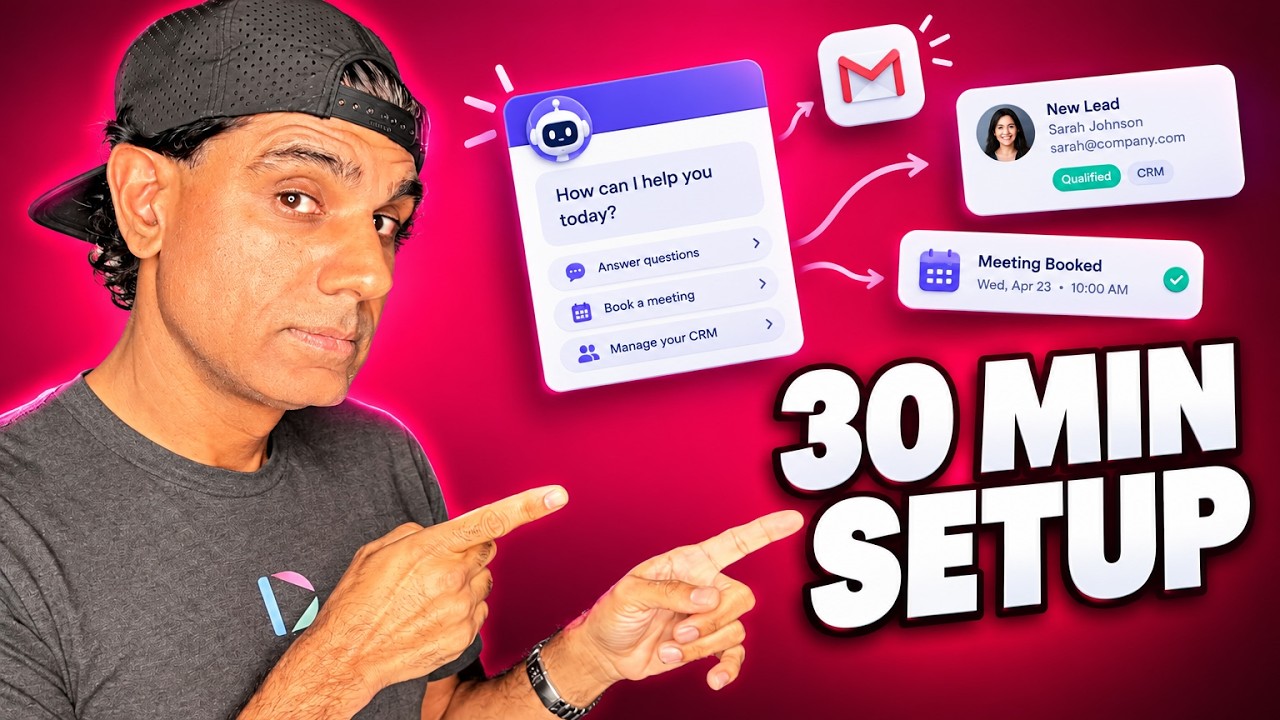
An AI chatbot is configured through a small set of fields rather than a written specification: reference links, a short list of FAQ buttons, a training document holding custom instructions, a default welcome message, a lead capture setting, and a single direct response link. The interface handles the behaviours that previously required custom instructions, including lead capture, so the configuration work reduces to supplying source material and deciding what the bot should push visitors toward.
What Is an AI Chatbot?
An AI chatbot is a conversational interface that answers visitor questions automatically using a language model grounded in material the operator supplies. It differs from a scripted chat widget in that responses are generated from source content rather than selected from predetermined branches, which allows it to answer questions the operator did not anticipate.
In Dubb, a chatbot can be placed on videos, emails, landing pages, social media comments, and websites, where it operates continuously, captures leads, and generates bookings. Configuration is done through the interface, which replaces the custom instruction set that a chatbot build would otherwise require.
Table of Contents
- Where the Chatbot Actually Lives
- The Technical Document You No Longer Need
- The Six Fields That Replace It
- FAQs Are Buttons, So Keep Them Few
- The Training Document Is Where Judgment Goes
- The Welcome Message Is Hard-Coded
- Lead Capture: Soft Ask or Required
- One Direct Response, Like a Salesperson
- Tell People They Are Talking to AI
- Common Mistakes and Troubleshooting
- Best Practices Worth Adopting
- Chatbot Platforms Compared
- Proof: Why This Actually Works
- Frequently Asked Questions
- Putting a Chatbot Everywhere You Market
Where the Chatbot Actually Lives
Most people picture an AI chatbot as a bubble in the corner of a website, and that is one placement among several. The bot can sit on your videos, inside your emails, on your landing pages, in your social media comments, and on your website.
That range matters more than the feature list, because it changes what the bot is for. A website chat widget answers people who found you. A bot attached to a video or a social comment answers people at the moment their interest peaked, which is usually somewhere other than your homepage.
It runs continuously, which is the part that is easy to undervalue until you count the enquiries arriving at nine in the evening. Capturing leads and generating bookings while nobody is working is the entire economic case, and it is a strong one.
The Technical Document You No Longer Need
One of our more technically minded users built a genuinely excellent setup document before configuring theirs. It laid out lead capture logic, booking link handling, and detailed behavioural instructions, and it was the sort of thing you would previously have needed.
That is the honest history of this category. Building a useful AI chatbot meant writing a specification: how to greet people, when to ask for details, what to do with a question it could not answer, how to steer toward a booking. It was real work, and it was the reason most small businesses either paid heavily for a build or gave up.
The interface now absorbs most of that. Reviewing that user's document against the actual setup screen, the majority of what they had carefully written was already handled by a field. The instructions were good. They had simply become unnecessary, which is the most satisfying kind of obsolete.
The Six Fields That Replace It
Here is the whole AI chatbot configuration, and what each part is actually for.
| Field | What It Does | The Rule | Common Error |
|---|---|---|---|
| Links | Supplies source material the bot answers from | Give it the pages that genuinely answer questions | Adding only a homepage and expecting depth |
| FAQs | Renders as visible buttons the visitor can tap | One or two only, your most important | Adding dozens and creating analysis paralysis |
| Training document | Holds your custom instructions and boundaries | This is where the judgment lives | Duplicating what other fields already handle |
| Welcome message | The fixed opening line every visitor sees | Edit it here. Training text will not change it | Trying to override it from the training document |
| Lead capture | Sets whether details are suggested or required | Pick the mode. Do not script it yourself | Writing capture logic into the training document |
| Direct response | The single action the bot steers toward | One link, your most important one | Burying the calendar link in the training text |
Three of those six are where people go wrong in predictable ways, so they get their own sections below.
FAQs Are Buttons, So Keep Them Few
This is the field most often misunderstood, because the label suggests a knowledge base and the behaviour is something else entirely.
Your FAQs render as visible buttons in the chat interface. They are not background knowledge the bot draws on quietly. They are things the visitor sees and can tap, and they say the same thing every time.
Which means restraint. One or two, your most important. A hundred buttons produces analysis paralysis, and a visitor facing a wall of options does the thing people always do when given too many choices, which is nothing at all.
The rule I would apply is to treat these as the two questions you would most want a visitor to ask. Everything else belongs in your links and training document, where the bot can answer it on request without cluttering the interface.
The Training Document Is Where Judgment Goes
If the other fields are plumbing, this is where your actual business sense goes in. The training document holds the custom instructions that make the bot behave like your business rather than a generic assistant.
The clearest example is pricing. Most businesses should not have an AI issuing estimates, prices, or quotes, because a number stated by your chatbot is a number a customer will reasonably expect you to honour, and it is stated without knowing the specifics of their situation. The instruction to write is the redirect: for quotes and estimates, ask them to book a time or complete a form.
The same pattern applies to anything requiring context you cannot supply in advance. Availability, timelines, whether you serve a particular region, and anything with legal or contractual weight. Write the boundary and the redirect together, so the bot has somewhere to send people rather than simply refusing.
What does not belong here is anything another field handles. Lead capture instructions, your main call to action, and your welcome message all have their own settings, and duplicating them here at best does nothing and at worst competes with the field that actually controls the behaviour.
The Welcome Message Is Hard-Coded
Worth understanding clearly because it causes real confusion. The default welcome message is fixed. It appears the same way every time, and instructions in your training document will not override it.
It is customisable, but only in its own field. If you want the bot to open differently, edit the message itself. Writing "greet visitors by saying X" into your instructions will not work, and people lose time to that before realising why.
The FAQ buttons behave the same way. Hard-coded, identical every time. Generated responses only begin once the visitor interacts, at which point the bot draws on your instructions and your links.
So the mental model is two layers. A fixed layer that always looks the same, comprising the welcome message and the FAQ buttons, and a generated layer that responds to whatever the visitor actually asks.
Lead Capture: Soft Ask or Required
Lead capture is built in, so there is no need to work out how to prompt an AI to collect contact details. You choose the mode.
Soft ask suggests the visitor provides their information, and the conversation continues either way. Required means they must provide it before proceeding.
The tradeoff is real and worth thinking about rather than defaulting. Required capture converts a higher proportion of the people who continue, and fewer people continue. Soft asking lets more visitors get value from the bot, and some of them leave without you ever knowing they were there. Which is right depends on whether your constraint is lead volume or lead quality.
Two practical notes. Requiring details before answering anything will frustrate a proportion of visitors who simply wanted a quick answer, so consider letting the bot be useful first and asking once interest is demonstrated. And whichever mode you choose, you are collecting personal data, so make sure your privacy policy covers it, that the visitor can see what you will do with their details, and that you meet whatever consent rules apply in the markets you serve.
One Direct Response, Like a Salesperson
This is the concept that makes the whole configuration click, and it borrows from something you already know.
When you train a salesperson, you give them one primary action. Book the meeting. Close the purchase. Get the click. Everything else in the conversation serves that single objective, because a salesperson pursuing four goals pursues none of them.
An AI chatbot works the same way. The direct response field holds the one action you want it moving every conversation toward, and the bot steers accordingly. If that is a booking, the calendar link goes there.
Note where it does not go. Putting the calendar link in among your other resources makes it one option among many. In the direct response field it becomes the destination. Other links can absolutely live in your instructions, and the bot can offer them when relevant. Just make sure the thing you most want to happen is the thing occupying the direct response slot.
Tell People They Are Talking to AI
One thing the setup screen will not decide for you.
Disclosing that a visitor is talking to an AI rather than a person is increasingly a legal requirement rather than a courtesy. California's bot disclosure law has required it in certain commercial contexts for years, the EU AI Act carries transparency obligations for systems interacting with people, and a growing number of US states have introduced or passed their own chatbot disclosure rules. The details differ by jurisdiction and this area is moving quickly, so check what applies where your visitors are.
Practically, this is easy. Your welcome message is a fixed line every visitor sees, which makes it the natural place to say the bot is an AI assistant. It costs you a few words and it removes the awkward moment where someone realises halfway through that they were not talking to a human.
It also tends to improve the conversation. People ask AI assistants different questions than they ask salespeople, usually more directly, which is what you want.
Common Mistakes and Troubleshooting
Too many FAQ buttons. They are visible and tappable, not background knowledge. One or two, or your visitor freezes.
Trying to change the welcome message from the training document. It is hard-coded and edited in its own field. Training text will not override it.
Writing lead capture logic yourself. It is a built-in setting with two modes. Choose one and delete the instructions.
Leaving the direct response empty. Without it the bot has nothing to steer toward and conversations end politely and pointlessly.
Letting the bot quote prices. A number your chatbot states is a number the customer expects you to honour. Write the redirect instead.
Feeding it only a homepage. The bot answers from what you give it. Thin sources produce thin answers.
Requiring contact details before the bot is useful. Some visitors just want a quick answer, and a gate at the front loses them entirely.
Best Practices Worth Adopting
Set the direct response first. It is the decision that clarifies every other field in an AI chatbot setup, in the same way that naming a goal clarifies a landing page.
Write boundaries as redirects rather than refusals. "We recommend booking a time for an accurate quote" is better than a bot that simply declines.
Say it is an AI in the welcome message. It is often required, it is easy, and it sets the right expectation.
Test it as a stranger before publishing. Ask it the awkward questions a real prospect would, including the price question you told it to redirect.
Revisit it after the first week of real conversations. What I see most often is a bot configured thoughtfully and never reviewed, when the transcripts are telling you exactly which two FAQs should be buttons.
Chatbot Platforms Compared
The category is crowded and the platforms differ mainly in what they assume about your setup and your budget.
| Platform | Category Focus | Where the Bot Goes | Best Fit Use Case |
|---|---|---|---|
| Dubb | Marketing chatbots tied to video, CRM, and booking | Videos, emails, landing pages, social comments, and websites | Businesses wanting the bot beside their video and outreach rather than only on a website |
| Intercom | Customer service with AI resolution and human handoff | Product and website, integrated with a support desk | Companies whose main volume is support tickets rather than lead capture |
| Tidio | Live chat and AI bots for small business and ecommerce | Website widget, with ecommerce platform integrations | Online stores wanting order and product questions handled on site |
| Chatbase | Bots trained on your documents and site content | Embeddable widget, with an API for custom placement | Teams comfortable assembling their own stack around a trained bot |
The question worth asking is where your prospects actually are when they have a question. If that is your website, any of these serves. If it is a video you sent, a social comment, or an email, the placement range matters more than the feature comparison. Check current pricing with each platform directly.
Proof: Why This Actually Works
The clearest evidence is the setup document mentioned earlier. A capable user wrote a thorough technical specification covering lead capture, booking handling, and behaviour, and when it was reviewed against the interface, most of it had already been made unnecessary by a field. That is a concrete measure of how much configuration work has moved from the operator to the product.
Two patterns hold across the chatbots we help configure. The first concerns the direct response field: bots with one clear action set there produce measurably more of that action than bots where the important link sits among other resources. The bot is not choosing badly. It is doing what the configuration told it to do, which is treat everything as equally important.
The second concerns FAQ buttons. Configurations with one or two see them used. Configurations with many see them ignored, and the visitor types a question instead, which suggests a long button list is not merely neutral but actively unhelpful.
Methodology note: these are directional observations drawn from the chatbot configurations we help build and from aggregated, anonymized patterns across Dubb users, not a controlled study. No figures are attached to either pattern, and outcomes vary by traffic source, industry, and the quality of the source material supplied.
The takeaway is that the difficult part of an AI chatbot was never the technology. It was deciding what it should refuse to do and what single thing it should push for, and those two decisions still belong to you.
Frequently Asked Questions
How do I set up an AI chatbot for my business?
Supply reference links the bot answers from, add one or two FAQ buttons, write a training document with your custom instructions, edit the welcome message, choose whether lead capture is suggested or required, and set a single direct response link for the action you most want.
You no longer need a technical specification. The behaviours that used to require custom instructions, including lead capture and steering toward a call to action, are handled by the interface, so your job is supplying good source material and making two or three decisions.
How many FAQs should a chatbot have?
One or two. FAQs render as visible buttons in the chat rather than as background knowledge, and they say the same thing every time.
A long list creates analysis paralysis, and a visitor facing many options tends to choose none of them. Everything else belongs in your links and instructions, where the bot can answer on request without cluttering the interface.
Can I stop my chatbot from giving prices?
Yes, and for most businesses you should. Put the instruction in your training document, telling the bot not to give estimates, prices, or quotes, and pairing that with where to send people instead, such as booking a time or completing a form.
The reason matters. A number your chatbot states is a number a customer will reasonably expect you to honour, and it is stated without knowing their specifics. Write the boundary and the redirect together so the bot has somewhere to send people rather than simply refusing.
Why will my chatbot not use my custom greeting?
Because the default welcome message is hard-coded. It appears the same way every time, and text written into your instructions will not override it.
It is customisable, but only in its own field, so edit the message directly. The FAQ buttons work the same way. Generated responses begin once the visitor interacts, and only then does the bot draw on your instructions and links.
Should chatbot lead capture be required or optional?
It depends on whether your constraint is lead volume or lead quality. Required capture means visitors must provide details before proceeding, which converts a higher proportion of those who continue while fewer continue at all. A soft ask suggests it and lets everyone else keep going.
Consider letting the bot be useful before it asks, since a gate at the front loses people who just wanted a quick answer. Either way you are collecting personal data, so make sure your privacy policy covers it and you meet the consent rules in the markets you serve.
Do I have to tell people they are talking to a chatbot?
Often yes, and the requirements are expanding. California's bot disclosure law has applied in certain commercial contexts for years, the EU AI Act includes transparency obligations for systems that interact with people, and a growing number of US states have introduced their own chatbot disclosure rules.
Details vary by jurisdiction and the area is moving quickly, so check what applies where your visitors are. Practically it is simple: say it in the welcome message, which every visitor sees. It costs a few words and avoids the awkward moment of someone realising midway through.
Putting a Chatbot Everywhere You Market
Setting up an AI chatbot comes down to a handful of decisions. Give the bot good source links. Pick your two most important FAQs and resist adding more. Use the training document for boundaries and redirects rather than for things other fields already handle. Choose your lead capture mode deliberately. Put your single most important link in the direct response field. And say in the welcome message that it is an AI.
What makes this different from a chatbot build two years ago is that none of it requires technical knowledge, and the placement range means the bot can sit on your videos, emails, landing pages, social comments, and website rather than only in a corner of your homepage. If you want a hand, Dubb runs sessions every weekday with people who will build one with you, alongside the CRM and video it connects to, and there is a free trial to start on.
Set the direct response field first. Once you know the one action you want every conversation to end in, the rest of the configuration mostly answers itself.