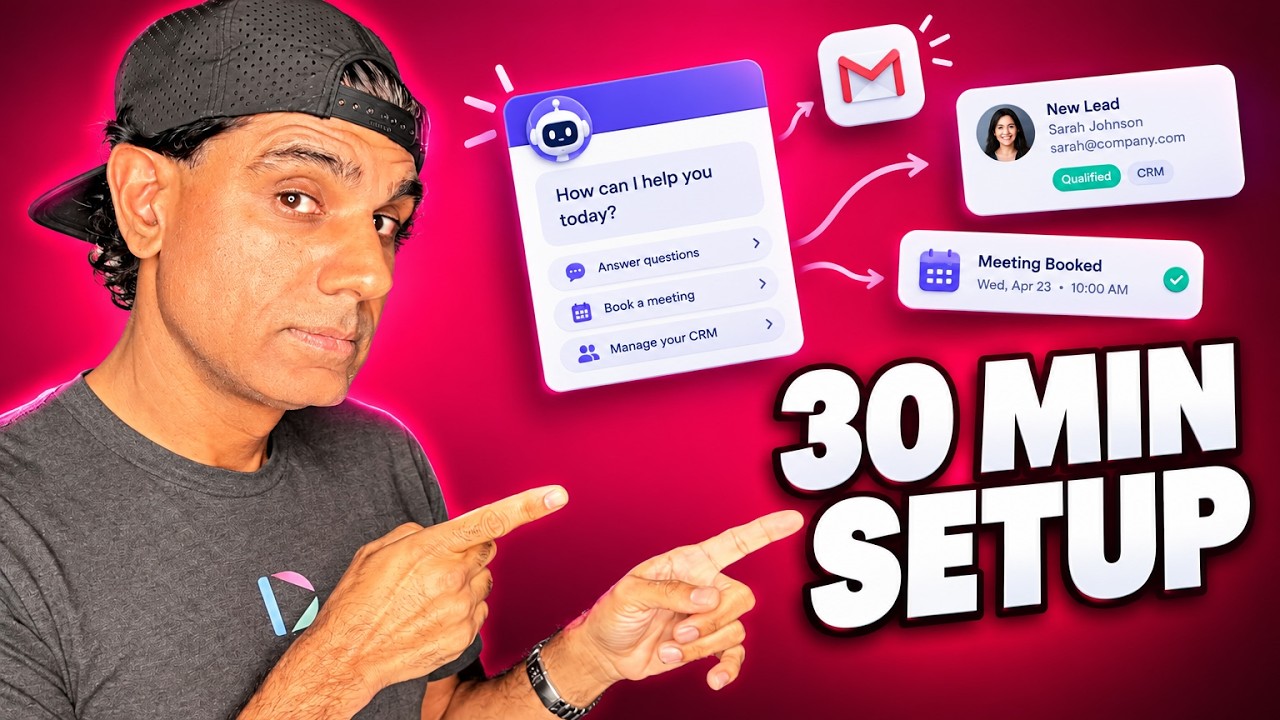
An AI routine is a standing instruction an agent carries out on a schedule without being asked each time. Rather than one assistant doing everything, each routine handles a single job: scanning an inbox for buying signals, researching new contacts, following up quiet prospects, drafting scripts, or requesting testimonials. Together they behave less like a tool and more like a small team.
What Is an AI Routine?
An AI routine is a recurring task an agent performs on a schedule, defined once in plain language and then run daily or weekly without further instruction. It differs from a prompt in persisting beyond a single conversation, and from a traditional workflow in that each run produces different output depending on what it finds.
In Dubb Agent, routines sit in their own section and each one is a named job with a schedule attached. We covered what routines are in the context of branding your own agent in the post on building a white label AI agent. This article is the other half: which routines are actually worth running.
Table of Contents
- A Department, Not a Tool
- The Seven Routines at a Glance
- Mining Your Own Inbox First
- Research, Then Ask Before You Act
- The Prospects Who Went Quiet
- The Content Routines
- The Testimonial Routine
- Stages and Podcasts
- What Personalisation at Scale Actually Means
- Before You Let a Routine Send Anything
- How Often to Run Them
- Ways to Run Routines Compared
- Common Mistakes and Troubleshooting
- Best Practices I Actually Follow
- Proof: Why This Actually Works
- Frequently Asked Questions
- Start With One
A Department, Not a Tool
The mental shift that makes AI routines useful is to stop thinking of one assistant that does everything.
A single agent asked to handle your entire pipeline is vague, and vague instructions produce vague work. Seven routines, each with one job, are specific. Each one reads like a role description rather than a wish: read my inbox for buying signals and give me a short list worth acting on today. That is a job you could hand to a person.
Thinking of them as roles also tells you when something is wrong. If a routine produces output you ignore for a fortnight, that is a role you did not need, and the answer is to turn it off rather than to tune it. Departments get restructured. So should this.
It is worth being clear-eyed about what this does and does not deliver. It does not mean waking up to a full calendar without doing any selling. What it means is that the preparation, the research, the noticing and the drafting happen before you sit down, so the time you spend is spent on conversations rather than on getting ready to have them.
The Seven Routines at a Glance
These are the AI routines running in my own account. The pattern matters more than the specific list, but this is a reasonable place to start.
| Routine | What It Does | What You Get Back | Suggested Cadence |
|---|---|---|---|
| Check email for deals | Reads your inbox for buying signals, including threads that went cold | A short list of deals worth acting on today | Daily |
| Research leads | Finds and enriches contacts, their role, and relevant recent news | Researched contacts, plus draft copy if you choose to pursue | Daily or weekly |
| Follow up prospects | Finds pipeline contacts who went quiet, using CRM notes and their domain | Drafted follow-ups specific to each one | Weekly |
| Find speaking opportunities | Searches for conferences, podcasts, and open calls for speakers in your market | A list of relevant opportunities | Weekly |
| Write social scripts | Drafts short-form scripts for the platforms you post to | Scripts in your inbox, ready to record | Daily |
| Write YouTube scripts | Produces longer-form curriculum copy specific to your business | A script per run | Daily |
| Follow up for testimonials | Approaches existing customers for testimonials, reviews, and ratings | Drafted requests, and the replies that come back | Weekly or monthly |
Notice that five of the seven hand you something to act on rather than acting for you. That balance is deliberate and it is the part most worth copying.
Mining Your Own Inbox First
If you only ever run one routine, run this one, because it works on people who already replied to you.
It reads your inbox for buying signals and returns a short list of deals worth acting on today. The value is not in the messages you received this morning, which you have probably seen. It is in the ones from a week ago that got buried during a busy stretch, and the ones from a year ago where the conversation was real and simply stopped.
Every pipeline has these. Someone said "circle back in Q3," Q3 arrived, nobody circled back. That is not a lead generation problem, it is a memory problem, and it is exactly what a routine that reads everything and forgets nothing is good at.
It is also the cheapest possible source of pipeline. No list to buy, no cold approach to write, no permission questions. These are people who already engaged with you.
Research, Then Ask Before You Act
The lead research routine finds and enriches contacts for your target companies: who they are, what their role is, and what has happened recently that is relevant.
Then it does the thing I would point to as the single best design decision in the whole set. It asks whether you want to pursue them. Email, call, or text. And if you say yes, it writes the copy for whichever you chose, so it behaves like an assistant preparing your work rather than an autopilot doing it.
That checkpoint is worth insisting on. An agent that researches a hundred contacts and emails all of them has made a hundred decisions you did not see. An agent that researches a hundred and asks which ones to pursue has done the tedious part and left the judgment where judgment belongs.
It also fails better. When the research is wrong about somebody, which happens, you find out while reading a list rather than after a message has gone out under your name.
The Prospects Who Went Quiet
This routine works your existing pipeline: whatever sits in your CRM or your spreadsheet, looking for people who stopped replying.
What makes it more than a reminder is the material it can draw on. Your CRM notes, their domain, whatever you recorded about their business last time you spoke. A follow-up that references the thing they actually said they were worried about is a different message from one that says you are checking in.
Going quiet usually means something changed on their end rather than that they decided against you. A follow-up that arrives with something useful attached gives them an easy way back into the conversation, which is more than most follow-ups manage.
The Content Routines
Two of these AI routines produce content rather than pipeline, and they are the ones I would least expect to earn their place. They do, because the thing that kills consistent posting is not difficulty, it is the blank page on a busy morning.
Social scripts arrive daily. Short-form scripts for whichever platforms you post to. Because they land in your inbox, the decision each morning is whether to record rather than what to say, and that is a much smaller decision.
YouTube scripts are the longer-form version, producing curriculum copy specific to your business rather than generic topics.
The workflow that makes this stick is what happens after the script exists. Push the script into your scripts library, open it in the teleprompter on your phone, and record. Our guide to using the Dubb mobile app covers that part, and the distance between "script exists" and "video posted" is where most content plans die.
One caution. A routine will happily produce a script a day forever, and publishing every one of them is not the goal. Read them, keep the ones with something to say, and bin the rest without guilt.
The Testimonial Routine
This one approaches existing customers to ask for testimonials, reviews, and ratings, and it exists because almost nobody does this consistently by hand.
Asking for a testimonial is not hard. Remembering to ask, at the right moment, every time, across every customer, is the part that does not happen. A routine removes the remembering.
Two things to get right, and they are covered properly in our post on collecting video testimonials. The ask should carry two or three specific questions rather than requesting a few words, because a vague ask returns generic praise. And you need permission for wherever you intend to publish the result, which is a separate thing from the testimonial itself.
This is also the routine where an automated tone costs the most. These are people you have a relationship with, and a request that reads as machine-generated is worse than no request. Review these before they go.
Stages and Podcasts
The speaking routine searches for conferences, podcasts, and open calls for speakers relevant to your market, and returns what it finds.
It suits automation well because the work is pure searching, the opportunities are genuinely scattered across places nobody checks regularly, and deadlines pass quietly. A weekly list means you see calls for speakers while they are still open.
Weekly is right here. Daily produces repetition, since this space does not move fast enough to justify it.
What Personalisation at Scale Actually Means
The phrase gets used loosely, so it is worth pinning down what changes.
The old version of scale was a workflow where everybody got the same thing at the same interval, with a first name merged into it. That is not personalisation, it is a mail merge, and recipients recognised it years ago.
What routines do differently is that each run produces different output because the inputs differ. The follow-up for one prospect draws on their CRM notes and their domain; the follow-up for another draws on theirs. The research on one contact surfaces news that is irrelevant to everyone else. Nothing is templated except the instruction.
That is a real change, and it is worth not overstating. The agent is working from what you gave it: your company information, your notes, your requests. A routine pointed at a thin CRM produces thin personalisation. The quality of the output tracks the quality of the record you kept.
Before You Let a Routine Send Anything
This section is not in the source training and it belongs here, before you switch anything on.
Decide what runs unattended. There is a real difference between a routine that reads and reports, and one that contacts people. Reading routines can run freely. Sending routines should draft for review until you have watched enough runs to trust them, and some should stay that way permanently.
Cold outreach has rules. Routines that email researched contacts are doing cold outreach at volume, which means an accurate sender identity and a working unsubscribe, and in many jurisdictions a lawful basis for contacting someone who never asked to hear from you. Calls run into Do Not Call obligations, and marketing texts have their own stricter consent rules. Volume makes all of this more visible, not less.
Know what the agent can read. These routines scan your inbox, your CRM, and your spreadsheets, which contain other people's information as well as your own. Check what your organisation's policy allows, and check what the tool retains.
Watch the first runs of everything. Read the output of a new routine for a week before letting it act. You are looking for the confident mistake: a wrong role, an out-of-date company, a piece of news about a different business with a similar name.
None of this is an argument against running routines. It is an argument for turning them on one at a time with your eyes open.
How Often to Run Them
Cadence is the setting people get wrong when they start running AI routines, and the failure is always the same: too often, then ignored.
The test is whether the world has changed enough since the last run to justify another one. Your inbox changes daily, so a daily scan finds new things. The speaking circuit does not, so a daily search returns yesterday's list and trains you to stop reading it.
The real constraint is your own attention. Seven daily routines is seven things to read every morning, and nobody sustains that. Two daily and four weekly is a load that survives contact with a busy week, which matters more than theoretical coverage.
If you are ignoring a routine's output, the fix is to slow it down or switch it off. An ignored routine is worse than no routine, because it teaches you to skim past the place where useful things appear.
Ways to Run Routines Compared
Running AI routines on a schedule is an increasingly crowded category, and the tools differ in what they can reach.
| Tool | How Routines Are Defined | What It Reaches | Best Fit |
|---|---|---|---|
| Dubb Agent | Plain language, saved as a named routine with a schedule | Your inbox, CRM, spreadsheets, and the sending and video tools alongside | Sales teams who want the follow-up and the recording in the same place |
| Clay | Tables and AI agents built around enrichment | A large set of data providers, plus outbound | Teams whose bottleneck is research and data quality |
| Zapier | Scheduled workflows, with AI agents on top | Thousands of connected applications | Anyone stitching routines across tools they already pay for |
| A calendar reminder | You, on a schedule | Everything you can reach | Genuinely fine for one or two jobs, and free |
The last row is not a joke. If you have two things you keep forgetting, a reminder solves it. The case for routines is the research, the reading and the drafting that a reminder still leaves you to do at seven in the morning.
Common Mistakes and Troubleshooting
One routine that does everything. Vague instruction, vague output. One job each.
Turning on all seven at once. You will read none of them by Thursday. Start with one.
Running everything daily. Match cadence to how fast the underlying thing changes.
Letting sending routines run unattended from day one. Draft for review until you have watched several runs.
Ignoring output instead of switching it off. An ignored routine trains you to skim past the useful ones.
Expecting good personalisation from a thin CRM. The agent works from what you recorded. Sparse notes, generic follow-ups.
Publishing every script it writes. Volume is not the goal. Keep the ones with something to say.
Skipping the consent question because it is automated. Automation makes outreach rules more visible, not less.
Best Practices I Actually Follow
Start with the inbox routine. It works on people who already replied to you, which makes it the cheapest pipeline you have.
Write each routine as a job description. If you could not hand it to a new hire, it is too vague for an agent.
Keep the ask-before-you-send checkpoint. Research is tedious and worth automating. Deciding who to contact is not.
Read a week of output before trusting a new routine. You are watching for confident mistakes, not obvious ones.
Review anything going to an existing customer. Testimonial requests especially. An automated tone costs most with people who know you.
Prune quarterly. Turn off what you stopped reading. Departments get restructured.
Proof: Why This Actually Works
The mechanism behind AI routines is mundane. Most missed revenue in a small pipeline is not lost to competitors, it is lost to forgetting, and a scheduled process that reads everything is better at not forgetting than a person with a busy week.
Two patterns hold consistently across the people we help. The first concerns which routines survive. Routines that surface something to act on get read for months; routines that act on their owner's behalf get switched off after the first embarrassing send. The ones that respect the checkpoint last longer than the ones that do not.
The second concerns how many people run. Anyone starting with one routine tends to still be running it a quarter later and to have added two more. Anyone starting with seven is usually running none, because seven morning reports is a habit nobody builds from a standing start.
Methodology note: these are directional observations drawn from aggregated, anonymized usage patterns across Dubb users, not a controlled study. No figures are attached to either pattern, and results vary by pipeline size, CRM quality, and how much of the output actually gets read.
What I take from it is that the limiting factor is attention rather than capability. An agent can run fifty routines. You can read two.
Frequently Asked Questions
What is an AI routine?
A standing instruction an agent carries out on a schedule without being asked each time. You define it once in plain language, attach a cadence, and it runs daily or weekly from then on.
It differs from a prompt in that it persists beyond one conversation, and from a traditional automated workflow in that each run produces different output depending on what it finds in your inbox, CRM, or the wider web.
Which AI routine should I set up first?
The one that reads your inbox for buying signals. It works on people who already replied to you, which makes it the cheapest source of pipeline you have and the one least likely to cause any harm.
Its real value is in old threads rather than new ones. Conversations that went quiet during a busy fortnight, or a contact who asked you to circle back in a quarter that has since passed, are found by a process that reads everything and forgets nothing.
Should an AI agent send emails on my behalf automatically?
Not at first, and for some routines not ever. There is a meaningful difference between a routine that reads and reports and one that contacts real people.
The better pattern is the one where the agent researches contacts and then asks whether you want to pursue them, writing the copy only once you have chosen. That keeps the tedious work automated and the judgment with you, and it means a mistaken piece of research is caught while you are reading a list rather than after a message went out in your name.
How often should each routine run?
Match the cadence to how fast the underlying thing changes. Your inbox changes daily, so scan it daily. Speaking and podcast opportunities do not, so weekly is enough and daily just returns yesterday's list.
The binding constraint is your attention rather than the agent's capacity. Two daily routines and a few weekly ones is a load that survives a busy week; seven daily reports is not.
What does personalisation at scale actually mean?
That each run produces different output because the inputs differ, rather than everyone receiving the same message with a first name merged in. A follow-up draws on that prospect's CRM notes and their domain, and research on one contact surfaces news irrelevant to everyone else.
It is bounded by what you gave the agent. A routine pointed at a CRM with sparse notes produces sparse personalisation, so the quality of your records sets the ceiling.
What should I check before turning on a routine that contacts people?
Four things. Whether it should send or only draft for review. Whether your outreach meets the rules that apply, including an accurate sender identity, a working unsubscribe, Do Not Call obligations for calls and the stricter consent rules for marketing texts. What the agent is allowed to read, since inboxes and CRMs hold other people's information. And whether you have watched enough runs to trust it.
Read a new routine's output for a week before letting it act. You are watching for the confident mistake, such as a wrong role or news about a different company with a similar name.
Start With One
The version of this that works is smaller than it sounds. Pick the inbox routine, write it as a job description, run it daily, and read what it gives you for a week. If it earns its place, add a second.
What you are building is not an autopilot. It is a set of standing jobs that do the reading, the research and the drafting before you sit down, so the hour you have goes on conversations instead of preparation. That is a real change, and it is a more honest description than waking up to a full calendar.
Dubb Agent runs these as named routines on whatever schedule you set, with the sending and recording tools in the same place, which is what keeps a drafted follow-up from becoming another tab.
If you change one thing after reading this, keep the checkpoint. The routines that ask before they act are the ones still running a year later.