What Is an AI Real Estate Market Report?
An AI real estate market report is a client-facing market update document generated or reformatted by a large language model (LLM) - such as Claude or ChatGPT - using raw market data or an existing report as its source material. The AI rewrites, brands, and personalizes the content based on agent-specific inputs like name, headshot, past listings, and brand colors. The connection to video platforms like Dubb is direct: once the report is generated, the same AI prompt can produce a teleprompter script, which agents record as a video using Dubb's desktop app and voice-activated teleprompter - turning a static document into a distributed video touchpoint across email, social, and YouTube.Table of Contents
- Why Traditional Market Reports Fall Short
- Claude vs. ChatGPT for Real Estate Reports: A Side-by-Side Look
- Step-by-Step: Building Your AI Market Report in 5 Minutes
- Turning Your Report Into a Video with Dubb
- AI Avatar Delivery: The Next Level
- Distribution: Where to Send Your Market Report Video
- Common Mistakes to Avoid
- Best Practices for Prompting AI Market Reports
- Proof: Why This Actually Works
- FAQ
- Streamlining Your AI Market Report Workflow with Video
Why Traditional Market Reports Fall Short
The standard approach to real estate market reports has a persistent problem: they are generic. Most agents pull a pre-built report from a third-party data provider - Norada, local MLS tools, or similar platforms - and share it as-is. The result is a document that looks identical to what every other agent in their market is sending.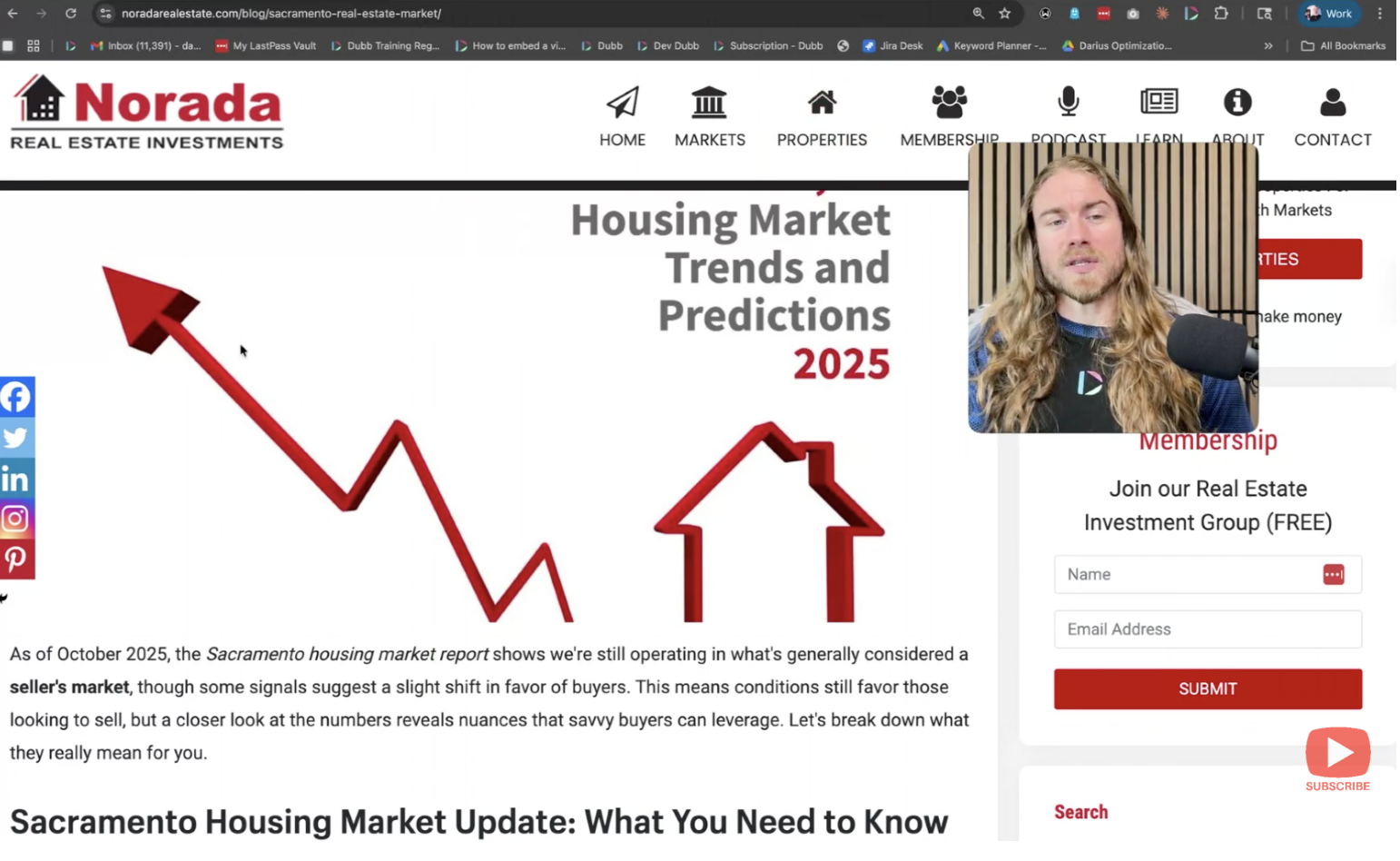 There is no personalization, no branding, and no voice. It does not reflect the agent's expertise or serve a specific client segment like luxury buyers, probate sellers, or first-time purchasers. The report becomes noise rather than a relationship-building asset.
AI changes this equation entirely. What previously required a designer, a copywriter, and significant time can now be handled in a single AI prompt session.
There is no personalization, no branding, and no voice. It does not reflect the agent's expertise or serve a specific client segment like luxury buyers, probate sellers, or first-time purchasers. The report becomes noise rather than a relationship-building asset.
AI changes this equation entirely. What previously required a designer, a copywriter, and significant time can now be handled in a single AI prompt session.
Claude vs. ChatGPT for Real Estate Reports: A Side-by-Side Look
Both Claude (by Anthropic) and ChatGPT (by OpenAI) can transform raw market data into a personalized, formatted report. The choice between them affects output quality, formatting fidelity, and how well the model handles nuanced agent-specific prompts.| Criteria | Claude (Anthropic) | ChatGPT (OpenAI) |
|---|---|---|
| Report personalization depth | Strong - handles long-form structured input well | Good - performs best with shorter, focused prompts |
| Visual formatting output | Clean markdown + HTML-ready formatting | Variable; depends on model version and prompt |
| Handling agent headshot/brand context | Processes image inputs for branding alignment | Supports image input via GPT-4o |
| Teleprompter script generation | Produces natural spoken-word scripts in same session | Capable; may require a follow-up prompt |
| Best for luxury/niche reports | Yes - handles specialized source material well | Yes - with specific prompt engineering |
| Free tier availability | claude.ai (limited) | chat.openai.com (limited) |
| Paid tier | Claude Pro | ChatGPT Plus / Team |
Step-by-Step: Building Your AI Market Report in 5 Minutes
Step 1: Choose and Copy Your Source Report
Start with any market report you already use and trust - whether from Norada, your local MLS, a title company, or another data provider. Copy the full text content of that report. The quality of the AI output depends heavily on the quality of the source. If you want a luxury market report, start with luxury-focused source data. If your focus is probate, investor activity, or a specific zip code, make sure the source material reflects that niche.Step 2: Craft Your AI Prompt
Open Claude or ChatGPT and paste the copied report content. Then write your prompt. A basic version works, but a more specific prompt produces a significantly better result. Your prompt should include: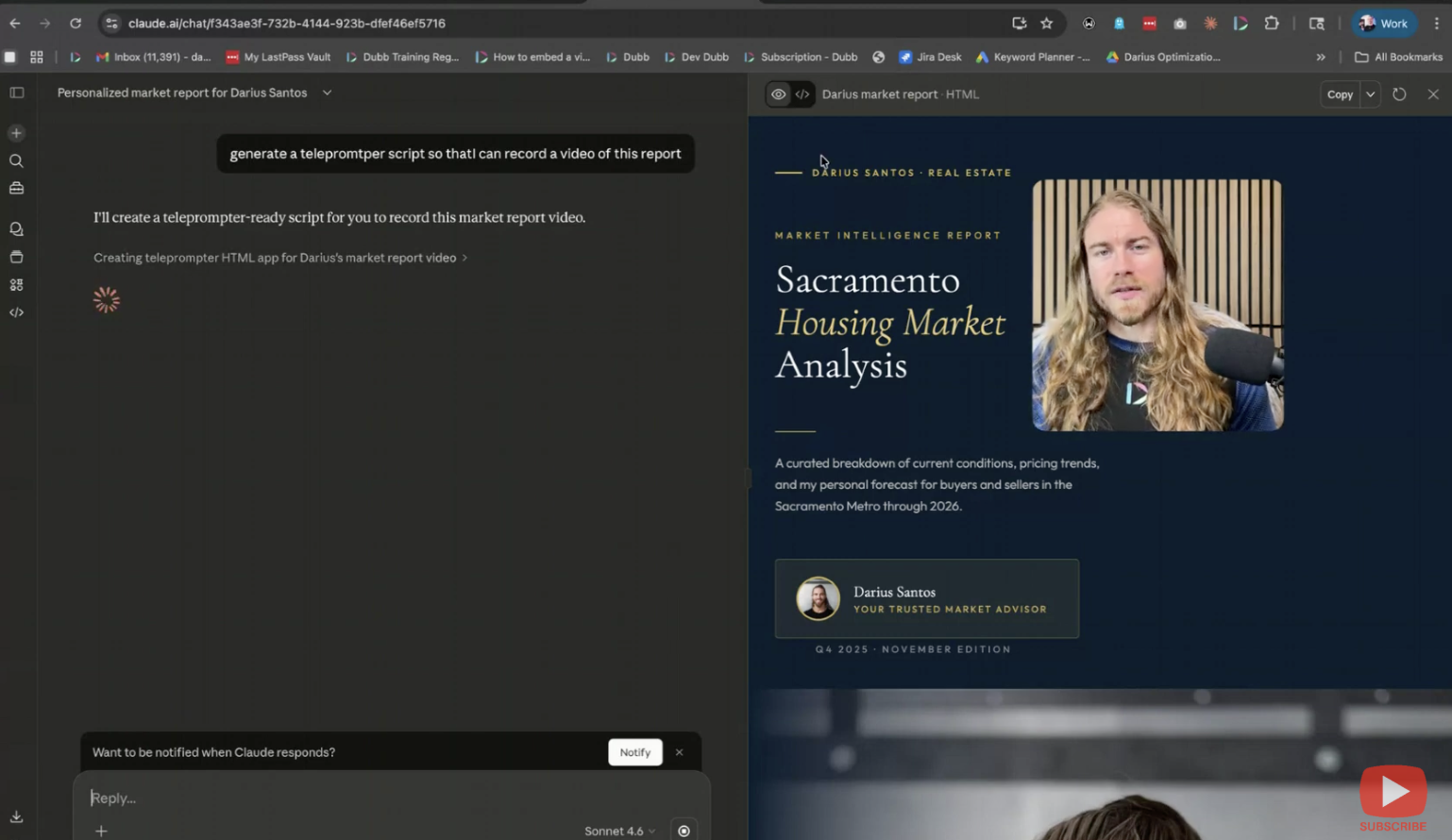
- Your name and professional context
- Your headshot or brand logo (upload as an image when the platform supports it)
- The type of report you want (general market update, luxury, first-time buyer, etc.)
- Any branding preferences - colors, tone, call-to-action language
- A request to match the output to your personal brand visually
"Generate a personalized version of this market report. My name is [Name], I specialize in [niche], and my branding uses [color/style]. Include my headshot and make this feel like it comes directly from me as a local expert."
Step 3: Review and Refine the Output
Within approximately two minutes, the AI will return a reformatted, personalized report. The visual quality at this stage will already be substantially better than the unformatted source document - with agent branding, organized sections, and client-friendly language. If the initial output is slightly too promotional (for example, if the headshot placement feels salesy), add context in a follow-up prompt: include past sold listings, local market commentary, or hyperlocal neighborhood notes to ground the report in substance.Step 4: Request a Teleprompter Script in the Same Session
In the same AI conversation, add one more instruction:"Now generate a teleprompter script so I can record a video of this report."The model will produce a spoken-word script - paced for natural delivery - that maps directly to the report's content. This script can be copied and pasted into Dubb's teleprompter in the desktop app.
Turning Your Report Into a Video with Dubb
Once the teleprompter script is ready, the next step is recording. Dubb's desktop app includes a voice-activated teleprompter that scrolls automatically as you speak, removing the need to memorize the script or manage manual scrolling. The workflow inside Dubb:- Open the Dubb desktop app
- Paste the teleprompter script into the teleprompter panel
- Enable voice activation so the script scrolls as you speak
- Record your video while reading the script - with your screen, webcam, or both
AI Avatar Delivery: The Next Level
For agents who want to push the workflow further, there is an additional step that removes the recording requirement entirely. Using an AI avatar generator, you can create a video of your digital likeness delivering the market report narration. That avatar video can then be used in Dubb's proprietary narrator feature, where a pre-recorded video - including an AI-generated avatar - plays on top of the report as an overlay. The entire deliverable, from report to video, can be produced without any live recording session. This is especially useful for agents managing high-volume outreach, producing reports for multiple farm areas simultaneously, or maintaining consistent communication during busy listing periods.Distribution: Where to Send Your Market Report Video
The market report video is not a one-channel asset. Once produced, it can be deployed across every client-facing channel:- Email drip sequences - embed the video in automated follow-up sequences to stay in front of leads over time
- Email blasts - send a market update to your full database; video thumbnails in email consistently outperform static image alternatives
- Social media - post the report video to Instagram, Facebook, or LinkedIn as a market commentary piece
- YouTube - publish as a searchable market update video for long-term SEO value
- Direct outreach - send individually to past clients or sphere contacts as a personalized check-in
Common Mistakes to Avoid
Using a generic source report without niche context. The AI personalizes the tone and presentation, but it cannot add data that is not in the source material. If your report is a general national summary when your clients are luxury buyers in a specific submarket, the output will reflect that mismatch. Skipping the branding inputs. Pasting only the report text without including your name, headshot, and brand preferences produces a generic-looking output. The personalization is only as strong as the inputs provided. Not requesting the teleprompter script in the same session. Generating the report and the script in separate sessions means the AI loses context. Requesting both in the same conversation produces a script that is naturally consistent with the report's structure and language. Sharing the report without a video. A formatted PDF or HTML report is better than an unformatted one, but adding a 2–3 minute video walkthrough - even a brief one - significantly increases engagement and response rates from your database.Best Practices for Prompting AI Market Reports
- Provide the full source report text, not just a summary. The more raw data the AI has, the more substantive the output.
- Include image inputs (headshot, logo) when the platform supports it - this allows the AI to make visual alignment suggestions in the formatted output.
- Specify your client segment in the prompt. A luxury report prompt should say "luxury buyers in [market]"; a first-time buyer report should use different framing.
- Ask for the teleprompter script in the same prompt or session to maintain narrative consistency between the written report and the spoken video.
- Review once before recording. A 60-second read-through of the script before hitting record catches any phrasing that sounds unnatural when spoken aloud.