Personalized Video Messages: The Approach That Gets Replies
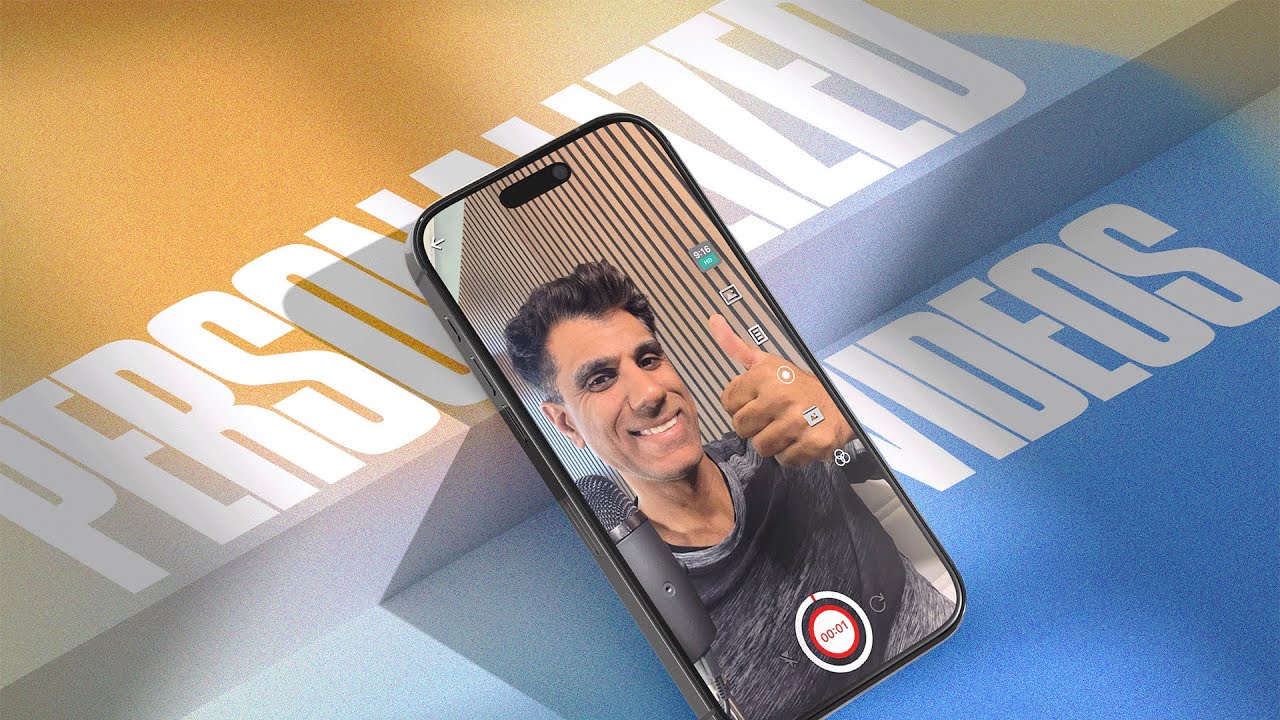
A personalized video message is a short, one to one video recorded for a specific person and sent where they already read you. The format works when the first line proves you know who they are, the middle delivers one useful thing, and the end asks for one specific next step.
Most outreach looks the same. A subject line, a paragraph about how your product solves a problem, and a request for 15 minutes. It is easy to ignore because it costs nothing to ignore.
A personalized video message changes the cost of ignoring it. Your face, your voice, their name, one clear reason you are reaching out, and one thing to do next. This guide covers when to send one, how to make it in a few minutes, and how to follow up once you know who watched.
What counts as a personalized video message
A personalized video message is a short recording made for one specific person, where the details they care about are on the screen and in your first ten seconds. Not a mass video with a mail merge field at the top. The recipient should feel like the video would not make sense sent to anyone else.
That usually means four things are custom:
- Their name, said not inserted
- The specific thing they mentioned, in your first line
- A screen, page, or document that is relevant to them
- A next step that matches where they are, such as a call, a short reply, or a booking link
When a video message beats a typed message
| Situation | Video or text? | Why |
|---|---|---|
| Following up after a call or a meeting | Video | It brings back the conversation and shows you listened |
| Answering a specific question about pricing or scope | Video with the page on screen | You can point at the exact line instead of describing it |
| A cold first touch | Video, if you have one real detail about them | It earns the two seconds a generic email does not |
| Re-engaging someone who went quiet | Video with a new reason | It gives them something to reply to that is not an apology |
| Confirming a detail or a link | Text | A video adds friction to a two second task |
How to record one in under five minutes
The whole workflow below fits in a gap between calls. The length is one request per video: the first one you send beats the perfect one you never finish.
- Pick one person and one reason. Write the reason in one sentence before you open the recorder. If you cannot, it is not a video problem, it is a research problem.
- Open their site, their post, or your quote on screen. Recording with their page visible does most of the personalization for you.
- Put your script in a teleprompter. Dubb shows the script next to the camera so your eyes stay on the lens instead of a second monitor.
- Record in one take. Forty to ninety seconds. Say their name inside the first sentence.
- Add a CTA. One action: a booking page, a reply, or a document to review.
- Name it so the library stays usable. Their company plus the date. Sent videos pile up faster than people expect.
A script you can adapt
This is the shape that works for a follow up after a conversation. Keep every line to one breath.
Short: the one thing worth watching
"Hi Priya, one thing worth watching, and it takes forty seconds."
Context: prove you were listening
"You mentioned the onboarding steps were the part your team keeps dropping, so I pulled up the exact flow and recorded against it."
Value: one specific thing, not a catalogue
"Here is the step two screen. Notice the trigger is on the second message, not the first, so it fires once per contact instead of once per day."
CTA: one action
"If that is the right fix, grab a slot here and I will walk your setup with you. If it is not, reply with where you think the gap is and I will redraft."
Swap the product detail and this script carries across a referral, a proposal, or a follow up to a proposal that has gone quiet.
What to write above the video
The video never arrives on its own. It arrives inside a subject line, two sentences of text and a preview image, and those three decide whether anyone presses play. A good clip inside a message that reads like a newsletter gets treated like one.
The subject line should name the reason, not the format. "Video for Priya" tells the reader nothing about why they should open it. "The onboarding step your team skips" is the same video with a reason attached. Keep it short enough that a phone inbox does not cut it in half.
The body is two sentences. The first says what the video covers. The second says what to do, which is almost always just pressing play. Anything longer competes with the video, and the video loses, because reading is faster.
Three details make the message feel personal before the video starts:
- Their company name in the first line, spelled the way they spell it
- The thing they said, quoted rather than paraphrased
- A sender name a person recognises, not a shared sales address or a tool domain
That last point matters. A message from a personal mailbox reads differently from one sent through a shared alias. The client by client steps are in how to send video in Gmail and Outlook.
The preview image does the same job as the first line of the video. A thumbnail showing their site or the screen you are discussing tells the reader the clip is about them before they click, which is the argument for recording one video per person.
Three situations, three scripts
The script above covers the follow up after a call. These are the three other situations I get asked about most.
The introduction from a mutual contact
"Hi Marcus, Dana said she would introduce us, and rather than wait on an email thread I recorded the short version." "She mentioned your team is moving the demo earlier in the funnel, which is the same swap we worked through with two other teams this year." "The three things worth looking at are on this page, and if the second one is a fit the calendar is right there."
The introduction is your permission to send, so name the person who made it in the first sentence. Borrowed trust lasts about thirty seconds, and company history spends it badly.
The proposal that went quiet
"Hi Ana, the proposal has been open for eleven days, which usually means one section is unresolved rather than the whole thing." "So I recorded against page three, the pricing table, because that is where the questions normally land." "If the answer is in there, reply yes and I will send the paperwork. If the blocker is somewhere else, tell me where and I will redo that part."
A quiet proposal is usually quiet because replying properly feels like a project. Give the buyer a one word reply and the thread moves again.
The renewal that is not really a renewal
"Hi Sam, your renewal comes up in six weeks and I am not going to send the standard email." "Here is what changed in the product since you bought, and here is the part your team has not switched on yet." "Worth fifteen minutes before you decide? If not, leave it and I will pick it up when you tell me to."
Renewals rarely die on price first. They die from being treated as paperwork. Naming the thing they are paying for and not using is more useful than a discount, and it gives the buyer a reason to reply that is not an apology.
Personalize the page, not just the video
The video is half of it. The page the video sits on can carry the same details: their name in the headline, their company in the copy, and a CTA that asks them to do the one thing you suggested.
This is where making 20 versions stops being 20 jobs. Record the video once with a placeholder for the name, then use a preset to generate a version per recipient with their own page, their own thumbnail, and their own CTA. Each recipient gets a link that only makes sense for them.
Follow up on who watched
Video only pays off if you use the second half of it: the watch data. Instead of guessing who is interested, you can see who opened it, how much they watched, and whether they clicked.
- Watched to the end, no reply. The message landed. Send one short text or call tomorrow and reference the video.
- Watched 30 seconds and stopped. They left before the ask. Your next touch should lead with the value that was too late in the last one.
- Opened and clicked the CTA, no booking. This is the hottest group. A calendar link and one line is enough.
- Never opened it. Channel problem, not video problem. Try a text with the thumbnail link, then a voice note.
If you want the full triage routine, see video emails for business for the send and follow up loop.
The mechanical side of that routine, from the send to the report that tells you who opened it, is in how to send a video and track who watched. If you want a cross check on the numbers before you trust them, our guide to video email marketing covers what a healthy open and watch rate looks like and what to do when yours is flat.
Personalise without recording 50 videos
Record once, personalise the page the prospect lands on, and track which one watched and how far they got.
Mistakes that make a video feel automated
- Starting with "I am sending this to all of my contacts this week"
- Saying their name three times because you were told personalization works
- Reading a paragraph off a second screen so your eyes never meet the eyes of the person watching
- A CTA that asks them to listen to your pitch instead of naming the next step
- Three CTAs in one video
The first eight seconds decide the reply
People do not stop watching a personalized video because the middle was weak. They stop in the opening, right after their own name is said, because the sentence that follows sounds like every other message in the inbox. The fix is to spend the first eight seconds proving you looked at something specific.
Three openers that earn the next thirty seconds:
- The observation. "I read your post about cutting onboarding time and the part about handoffs is the same wall we hit at twenty people." You have named a real piece of their work, not their industry.
- The number. "You have seventeen open roles and eleven of them are the same title. That is usually a retention problem dressed as a hiring problem." Specific, checkable, slightly uncomfortable.
- The receipt. "You downloaded the pricing guide on Tuesday and did not book anything, so I recorded the two minute version instead." This one works because it removes the guesswork about why the follow up arrived.
What the opening must never do is describe yourself. Title, company, years in business and the phrase "I wanted to reach out" all belong after the recipient has a reason to keep listening, which is usually never in a short video.
Segment by what you already know
Personalization fails when a team tries to make every video from scratch. It works when one recording covers one segment and the segment is small enough that the message still lands as specific.
The four cuts worth making on any list:
- Stage. Someone who has watched a demo needs a different video from someone who has only read a blog post. The first wants the objection handled, the second wants the problem named.
- Role. A sales leader cares about coverage and ramp time. A finance lead cares about cost per seat and whether the contract can shrink. Same product, different first sentence.
- Trigger. A funding round, a new hire in the department, a competitor announcement. These age fast, which is why they get the best reply rates.
- Last interaction. The person who replied "not now" in March and the person who never opened anything should not receive the same message in June.
Record one video per segment, then use the recipient's name and one detail on the page instead of in the recording. That keeps the volume realistic while the reader still gets a page that names them. The video CRM guide explains how that detail stays attached to the contact.
Running twenty in an hour without sounding like a robot
The workflow that actually holds up at volume looks like this.
- Open the list filtered to one segment. Read the notes column out loud once so your mouth is warmed up.
- Write the first sentence for five people as text, before recording anything. If you cannot write a specific sentence for a contact, they belong in a different segment.
- Record picture in picture with the contact page on screen. Two takes maximum. The third take is always stiffer than the second.
- Send from the same place the reply will land, and keep the message body to two sentences plus the link.
- Stop at twenty. Twenty specific messages sent today beat sixty generic ones spread over a week.
If a recording runs past ninety seconds, the ask is probably too big for a first touch. Split it: one video for the reason, a second for the walkthrough once they reply. Sending a shorter video also raises the odds the whole thing gets watched, which is the number to care about, not the length of the script.
If you need the same explanation across a batch of videos and cannot record your voice each time, a voice over tool saves the repetition. It does not save the research. The specific reference in the first line is the part a buyer can tell was written for them, so keep that step manual.
Frequently asked questions
How long should a personalized video message be?
Sixty to ninety seconds for most follow ups. The ceiling is not technical, it is attention. If you cannot say the value in ninety seconds, the message needs narrowing before it needs a longer video.
Is a video message better than an email?
Not instead of one. Send a short text or email with the video thumbnail as the link. The message gets read in the inbox and the video does the persuading when they tap.
Can I personalize a video without recording one per person?
Partially. A preset can build a page per recipient with their name, company and CTA, using one recording. The parts that cannot be automated are the specific reference and the reason for the message, so keep the recording general enough to be true for the whole group.
What should I show on screen?
Whatever you are talking about. Their website, their message, your quote, or the workflow in your product. A talking head with no screen is fine for a warm follow up. For a technical or pricing point, the screen does the explaining.
Is it appropriate for cold outreach?
Yes if you have found one real detail about them. Without that detail a cold video is just a cold call the person watches alone.
How do I know if it worked?
Watch for who opened it, how far they got, and whether they clicked the CTA. Those three numbers tell you which follow up to send, and the pattern tells you which opener to reuse.
If Outlook is the client your team actually uses, our guide to putting a playable video in an Outlook email covers the insert steps and what to do when the image is blocked.
How many personalized videos can one person send in a day?
Twenty is a realistic ceiling for a rep who is also doing calls. Beyond that the first sentences start repeating and the personalization stops being personal, which shows up as a drop in replies before it shows up in your own review of the videos.
Should the recipient's name be in the video or on the page?
Put it on the page. A name said out loud into a camera is the fastest way to sound scripted, while a page that greets the reader by name and shows their company keeps the message feeling one to one without forcing a new recording each time.
Start with five
Pick five people you owe a reply to. Record a video for each one, keep every video under ninety seconds, and send them with a single CTA. You will learn more from five sent messages than from a month of planning.
If you want to see the same structure applied to a cold first touch rather than a warm one, there is a step by step on sending video email with AI, and the case for and against avatar videos when you cannot record yourself.
Record your first personalized video today
Start free with no card, record against a real prospect, and see who opened it, how far they got and whether they clicked.